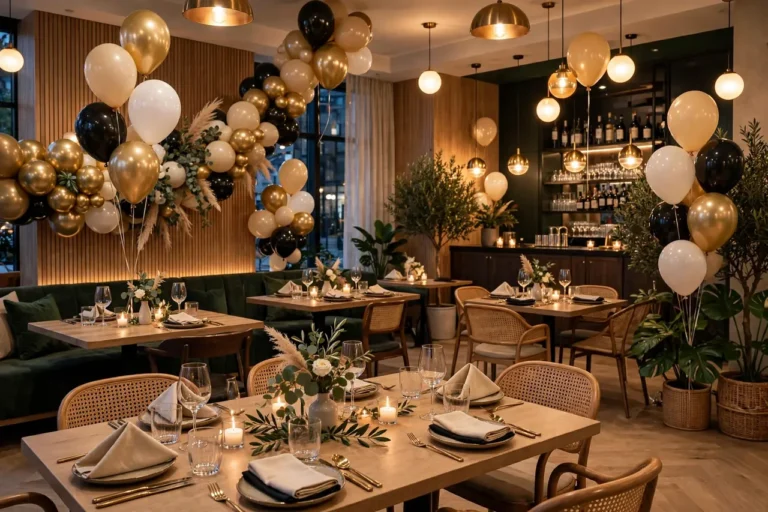
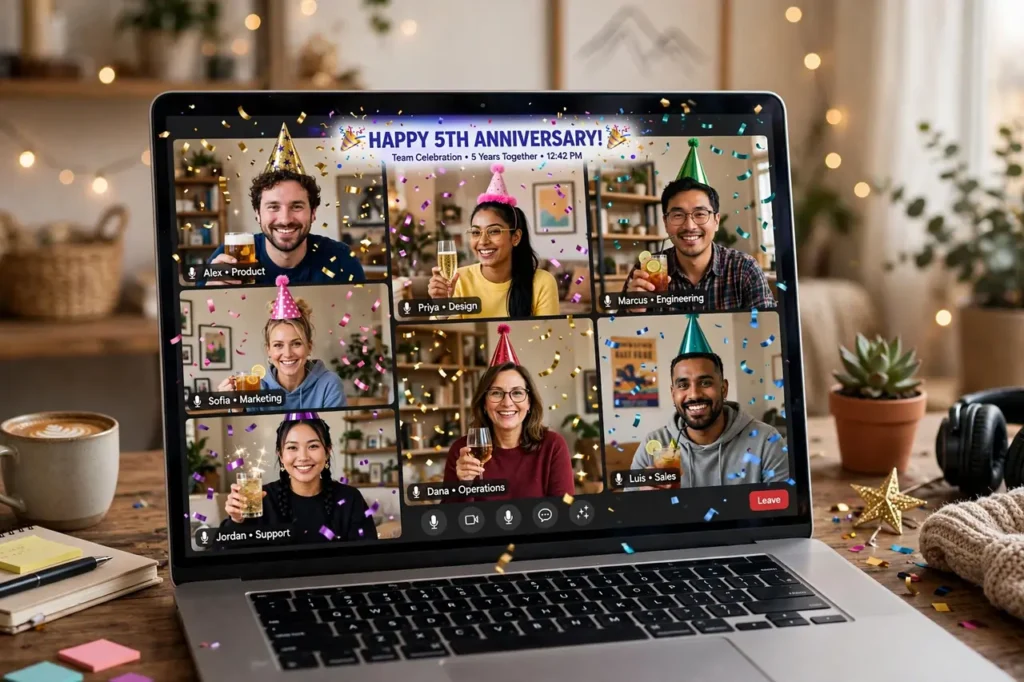
Distance is no longer a reason to skip the celebration. Remote teams, distributed customers, and far-flung partners can share a genuinely moving anniversary experience without anyone boarding a plane — if the virtual event is designed with intention rather than treated as a pale imitation of an in-person party. These virtual business anniversary celebration ideas cover everything: platform choices, 30+ engagement-tested ideas, celebration kits that make screens feel festive, a complete run-of-show, and the production details that separate memorable virtual events from forgettable video calls.
Virtual anniversaries have real advantages over physical ones. Everyone can attend — no travel budgets, no venue capacity limits, no one excluded by geography or mobility. The content is automatically recorded and shareable. Costs run a fraction of in-person events. And creative formats that would be impossible in a ballroom — live polls across continents, surprise video montages, digital time capsules — become easy. This guide shows you how to exploit those advantages instead of apologizing for the format.
Why Virtual Anniversaries Deserve Real Production
The biggest mistake companies make with virtual celebrations is treating them as casual video calls. “Let’s just hop on Zoom for an hour” produces exactly the flat, forgettable experience everyone dreads. A virtual anniversary is a produced event that happens to be online — it needs a run-of-show, a host, rehearsal, and production values. The bar is not “better than a meeting”; it is “worth remembering.”
Think of it as television, not a conference call. Television has segments, pacing, surprises, and energy management. Your virtual anniversary needs the same: an opening that grabs attention in the first 90 seconds, varied segments that change pace every 10–15 minutes, interactive moments that keep hands on keyboards, and an emotional peak worth the audience’s time. When produced this way, virtual events routinely earn higher attendance rates than in-person ones — because the friction of attending is near zero.
The professional polish extends to how the company shows up online generally. A virtual anniversary is a good prompt to refresh the team’s LinkedIn presence — anniversary content performs well there — and to sharpen everyone’s virtual presence skills. More remote-work wisdom lives in our Career & Success section.
Choosing Your Platform
| Platform | Best For | Capacity | Standout Features |
|---|---|---|---|
| Zoom (Meeting/Webinar) | Team-centered celebrations, 20–500 guests | Up to 1,000+ | Breakout rooms, polls, reactions; everyone knows it |
| Microsoft Teams | Companies already on Microsoft 365 | Up to 1,000+ | Together Mode, live captions, deep Office integration |
| Google Meet | Simple, no-fuss gatherings | Up to 500 | Zero-install for guests, live captions, easy recording |
| YouTube Live | Public-facing celebrations, large audiences | Unlimited | Free, permanent recording, live chat, easy sharing |
| Dedicated virtual event platforms (Hopin, Gather, etc.) | Immersive multi-room experiences | Varies | Virtual venues, expo booths, networking lounges |
Choose based on your audience’s comfort, not feature lists. If your customers struggle with new apps, use what they already know — familiarity beats functionality for celebration attendance. For internal team events, use whatever the team uses daily. For public celebrations, YouTube Live removes every barrier: no account, no install, just a link.
30 Virtual Anniversary Celebration Ideas
Engagement and Interaction (1–10)
- Live anniversary awards show. A produced 45-minute program with categories, nominees, and acceptance speeches over video. The ceremony format translates beautifully online.
- Breakout room reunions. Mix eras and departments in small groups with guided prompts (“your favorite company memory”). Intimacy scales through small rooms.
- Real-time polls and quizzes. Company trivia with live leaderboards — fiercely competitive and hilarious. The winning team gets real prizes shipped afterward.
- Digital memory wall. A shared board where everyone posts photos, notes, and memories during the event. It becomes a permanent keepsake.
- Surprise video montage. Collect secret video messages from customers, alumni, and families; premiere the compilation live. The virtual equivalent of the gala’s emotional peak.
- Virtual toast across time zones. A synchronized toast with everyone raising whatever is in their celebration kit. Simple, unifying, photogenic (screenshot it).
- Live “then vs. now” slideshow. A hosted tour through the company’s visual history with live commentary and reactions. Nostalgia works on screen.
- Future predictions game. Everyone submits predictions for the next milestone; sealed digitally and revealed at the next anniversary.
- Virtual escape room or game show. Company-themed challenges in teams. Shared problem-solving bonds people fast.
- Open-mic story hour. Sign-up slots for anyone to share a 2-minute company story. The unscripted moments are always the best.
Content and Production (11–20)
- Premiere the anniversary documentary. A virtual event is the perfect premiere venue — watch party with live chat, then publish everywhere.
- Founder’s fireside chat. An interview-format conversation with the founder, with live audience Q&A. Intimate and revealing.
- Customer spotlight reels. Pre-recorded customer stories played between live segments. Their voices carry the credibility.
- Decade-in-data visualization. Animated stats of the company’s journey — customers served, growth curves, milestones. Numbers become narrative.
- Virtual office tour. A guided video tour of the physical space for remote staff and distant customers who have never seen it.
- Time-lapse build video. Compress a project, a renovation, or a product’s creation into a mesmerizing time-lapse with music.
- Anniversary podcast episode. Record a special episode live with audience participation, then distribute it as evergreen content.
- Digital time capsule. A shared document or video compilation sealed (embargoed) until the next milestone.
- Highlight reel premiere. A fast-paced 3-minute sizzle reel of the anniversary period’s best moments, premiered at the event’s close.
- Thank-you video chain. Each team member records 15 seconds thanking someone else; edited into a chain of gratitude played at the finale.
Kits and Shared Experiences (21–30)
- Shipped celebration kits. A box with snacks, a mini bottle, confetti, a party hat, and a printed program. Physical objects make virtual events feel real.
- Synchronized tasting. Ship the same treats or drinks to everyone; taste together on camera with a guided host. Shared sensory experience across distance.
- Virtual cooking or cocktail class. A guided session where everyone makes the same anniversary dish or drink. Delicious and interactive.
- DIY craft-along. Ship simple craft supplies; everyone builds the anniversary keepsake together on camera.
- Charity livestream. A fundraising stream where the team does challenges for donations. Entertainment with purpose.
- Global office showcase. Each location presents a 3-minute cultural showcase. Distributed teams finally see each other.
- Pet parade interlude. A 5-minute segment of team pets in anniversary costumes. The highest-engagement minutes of any virtual event, guaranteed.
- Anniversary playlist party. A collaborative playlist built over weeks, played during mingling segments with a live DJ or host.
- Virtual photo booth. A branded digital photo booth with anniversary frames and props; guests download and share instantly.
- The after-party rooms. Keep breakout rooms open after the formal program for unstructured hanging out — the virtual equivalent of lingering at the bar.
Watch: A Real Virtual Anniversary Celebration
Theory only goes so far — watch how a real company celebrated its anniversary entirely online. This virtual anniversary event brought together stakeholders remotely for recognition, reflection, and celebration, proving the format can carry genuine emotion:
The Engagement Playbook: Beating “Zoom Fatigue”
Virtual events fight one enemy: the pull of the other tab. Win attention with pacing and participation, not just content. Change the stimulus every 10–15 minutes — alternate between live host, pre-recorded video, interactive activity, and small-group discussion. No single talking head should hold the screen for more than 10 minutes straight.
Build participation into the structure, not as an afterthought. Open with a poll or chat prompt in the first 2 minutes so everyone interacts immediately — early participation predicts continued engagement. Use names constantly; being named keeps people present. Run a visible backchannel (chat, Slack thread) with a dedicated moderator surfacing the best comments. And create stakes: trivia with real prizes, predictions with future reveals, awards with genuine honor.
Respect the clock ruthlessly. Sixty to ninety minutes is the sweet spot for virtual celebrations; beyond two hours, even great content bleeds audience. It is better to end with people wanting more than to watch the attendee count decay. If you have more content than fits, split it: a main event plus an optional after-party, or a series across the anniversary week.
Celebration Kits: The Physical Layer
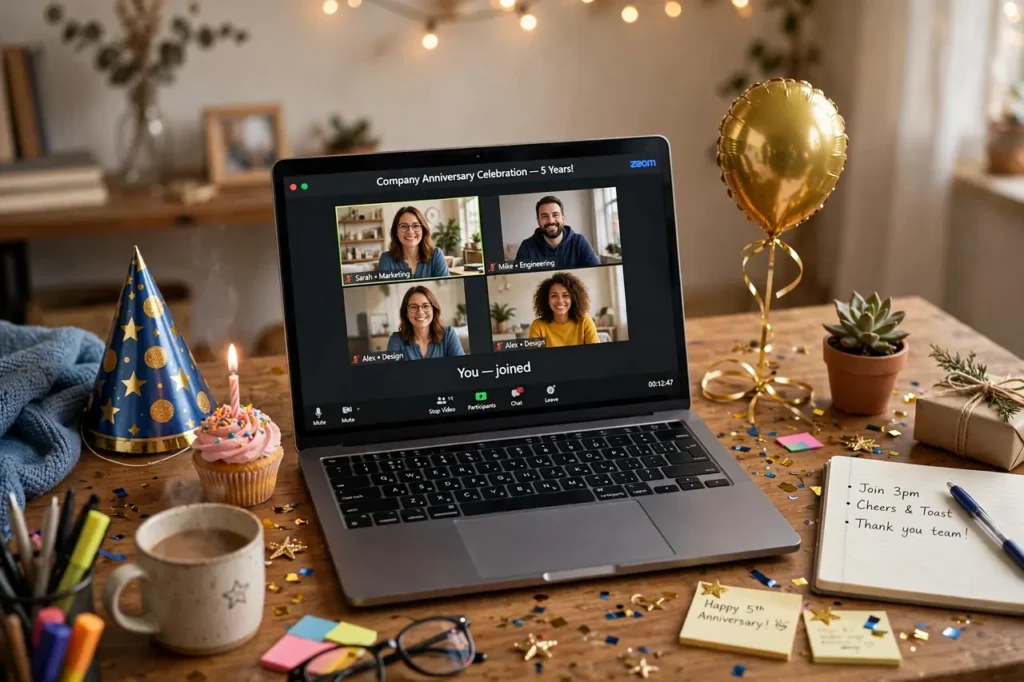
The kit is what makes a virtual event feel like a celebration instead of a meeting. Ship kits 7–10 days before the event so they arrive with anticipation-building timing. What to include depends on budget:
- Budget ($10–$20/person): A snack box, confetti packet, printed program, party hat, and a handwritten thank-you card. Festive and personal.
- Mid-range ($25–$50/person): Above plus a mini bottle of something celebratory (or fancy non-alcoholic alternative), a branded keepsake (mug, notebook), and higher-quality snacks.
- Premium ($50–$100/person): Above plus a meal delivery credit for event night, a quality gift (headphones, blanket), and a personalized item with their name.
Include a “do not open until” instruction for one sealed element — a shared surprise opened simultaneously on camera creates a genuine collective moment. And always include the program: knowing what’s coming builds anticipation and reduces the “should I stay?” calculus. For international teams, ship earlier (2–3 weeks) and confirm customs-friendly contents.
The Virtual Run-of-Show: A 75-Minute Template
| Time | Segment | Format & Notes |
|---|---|---|
| 0:00–0:05 | Doors open & pre-show | Music, slideshow of submitted photos, chat prompt: “Where are you joining from?” |
| 0:05–0:10 | Welcome | Energetic host, the anniversary in one sentence, what is coming. Set participation norms. |
| 0:10–0:20 | Opening interactive | Live poll or trivia round 1 — everyone participates in the first 10 minutes. |
| 0:20–0:30 | Founder story | Fireside interview format, 10 min max. One true story, specific thanks, forward look. |
| 0:30–0:40 | Tribute video premiere | The emotional peak. Ask everyone to keep cameras on; the grid of faces is the moment. |
| 0:40–0:55 | Breakout reunions | Small groups, guided prompt, 12 minutes. Intimacy at scale. |
| 0:55–1:05 | Awards & surprises | Quick-fire awards, the sealed-kit surprise opening, synchronized toast. |
| 1:05–1:15 | Finale & what’s next | Highlight reel, the vision reveal, thank-yous. End on momentum. |
| 1:15+ | After-party rooms (optional) | Open breakouts for lingering. No program — just presence. |
Production Details That Make or Break It
Virtual events live or die on production quality. The good news: the essentials are cheap and learnable. The host needs good lighting (a window or a $30 ring light), a decent microphone (even earbuds beat a laptop mic), and a clean, intentional background — branded virtual background or a real shelf, not a messy room. Pre-recorded segments should be edited tightly; rambling pre-records are worse than live spontaneity.
Rehearse the technical flow, not just the content. Run a full dry run 48 hours before: test screen sharing, video playback with audio, breakout room assignments, poll launches, and the handoff between segments. Assign roles explicitly: a host (the face), a producer (the invisible hands running tech), and a chat moderator (the community’s voice). Never make the host also run the tech — split attention guarantees fumbled transitions.
Have a backup plan for every failure mode: if the tribute video will not play, the producer has a shareable link ready; if a speaker’s connection drops, the host has a 2-minute fill segment prepared; if the platform glitches, a backup link is already in everyone’s calendar invite. Audiences forgive technical hiccups when recovery is fast and graceful; they do not forgive ten minutes of “can you hear me?”
Hybrid Anniversaries: The Best of Both Worlds
Many companies now run hybrid celebrations: an in-person core event with a produced virtual layer for remote participants. Done well, this includes everyone; done poorly, remote attendees feel like second-class spectators. The difference is intentional design.
- Give virtual attendees their own host. A dedicated virtual emcee who speaks directly to the online audience, runs their polls and breakouts, and ensures they are never just watching a room they are not in.
- Design camera-first moments. The founder’s toast, the awards, the tribute video — stage these for the camera as well as the room. Remote viewers should feel addressed, not eavesdropping.
- Ship the kits. Remote participants with celebration kits, food, and the program feel like guests; those without feel like viewers.
- Create virtual-only exclusives. A backstage interview, a digital keepsake, a breakout with the founder — things only the virtual audience gets. Exclusivity balances the FOMO.
- Capture both experiences. The highlight reel should include the virtual grid’s reactions alongside the room’s applause — one celebration, two venues.
Virtual Anniversary Mistakes to Avoid
- Treating it like a meeting. No agenda-doc energy. It is a produced event with segments, pacing, and surprises.
- One talking head for an hour. The fastest way to lose everyone. Vary the stimulus every 10–15 minutes.
- No participation in the first 10 minutes. Passive starts create passive audiences. Interact immediately.
- Forgetting time zones. Schedule for the majority, record for the rest — and acknowledge the 6 AM heroes explicitly.
- Skipping the kits. The physical layer is what separates celebration from webinar. Budget for it.
- No rehearsal. Technical dry runs are non-negotiable. “We’ll figure it out live” is how disasters happen.
- Running too long. 60–90 minutes of programmed content. End with energy, not attrition.
- Ignoring the chat. An unmoderated, unacknowledged chat tells the audience their presence does not matter. Staff it and use it.
Measuring Virtual Success
| Metric | How to Track | Strong Result |
|---|---|---|
| Attendance rate | Attendees ÷ registrants | 60–75% (vs. 40–50% for webinars) |
| Stay duration | Average watch time | 70%+ stay past the midpoint |
| Participation | Poll responses, chat messages, breakout join rate | 50%+ actively participate |
| Sentiment | Post-event pulse survey (1–3 questions) | 8+/10 average; qualitative warmth |
| Content afterlife | Recording views, clip shares, gallery engagement | 2–3× live attendance in 30 days |
| Business impact | New contacts, reactivated relationships, press | Track like any campaign |
Promote the recording strategically afterward — many virtual anniversary videos earn multiples of their live audience in the following month. Share highlight clips on social, send the full recording to registrants who missed it, and add the best moments to the company’s permanent story. The digital marketing guide covers squeezing lasting value from event content, and networking effectively applies to the follow-ups each new virtual connection deserves.
The Pre-Event Buildup: Making It a Campaign, Not a Call
The virtual anniversary should feel like an event weeks before it happens. Start the buildup 3–4 weeks out with a save-the-date that feels like an invitation, not a calendar invite — a short video from the founder, a beautiful digital card, a teaser of what’s coming. Two weeks out, launch the memory-collection: ask everyone to submit photos, stories, and predictions for the digital wall and time capsule. Participation before the event predicts engagement during it.
In the final week, build anticipation daily: a countdown post with a classic photo, a “meet the host” intro, a sneak peek at the celebration kits arriving on doorsteps. The day before, send the practical email — link, time, what to have ready (kit, drink, camera on) — plus one exciting tease: “tomorrow includes a surprise no one sees coming.” By the time the event starts, the audience should feel like they are arriving at something, not joining another call. The same campaign logic applies to customer virtual events: tease the exclusive offer, spotlight the special guests, and make registration feel like joining, not signing up.
Accessibility and Inclusion for Virtual Celebrations
Virtual events can be the most inclusive celebrations a company ever hosts — if accessibility is designed in, not bolted on. Enable live captions on every session; they help non-native speakers, the hearing impaired, and anyone in a noisy environment. Share slides and videos in advance with anyone using screen readers. Keep essential information out of images-alone — describe key visuals verbally for those who cannot see them.
Design for varied circumstances: not everyone has a quiet home office, so normalize cameras-off as acceptable and create low-pressure ways to participate (chat, polls, reactions). Offer the recording promptly for anyone who could not attend live, with chapters so they can navigate to the moments that matter. Consider the kit contents for dietary restrictions, alcohol preferences, and international shipping constraints. And remember the quietest win of virtual celebrations: team members with disabilities, caregiving responsibilities, or social anxiety often experience in-person parties as exhausting — a thoughtfully produced virtual anniversary may be the first company celebration they have genuinely enjoyed. That alone justifies the format.
The One Metric That Matters Most
With all the dashboards available, virtual anniversary planners often ask which number actually matters. It is this: the percentage of attendees who say they felt genuinely connected to the company afterward. Attendance, watch time, and chat volume are useful diagnostics, but connection is the outcome the anniversary exists to produce. Ask it directly in the post-event survey — “Did this celebration make you feel more connected to our story?” — and let the answer guide every future event you produce. Technology changes; the need to belong does not.
When Virtual Events Go Wrong: A Rapid Troubleshooting Guide
Even the best-planned virtual celebrations hit technical snags. The difference between a hiccup and a disaster is preparation. Assign one person to be the dedicated tech moderator — not the host — so problems get solved in real time while the program keeps moving. The host stays in character; the moderator stays behind the curtain.
If the host’s connection drops, have a co-host ready to take over instantly with a pre-loaded copy of the slide deck and the run-of-show. If audio fails for many attendees at once, switch the whole event to chat-based participation for two minutes while you troubleshoot; keeping people engaged beats making them wait in silence.
For the classic problem of low energy — cameras off, chat silent — keep a bank of quick interactive moments ready to deploy: a one-question poll, a “type your city in the chat” icebreaker, or a 60-second breakout-room challenge. Energy dips are normal around the 25-minute mark of any virtual event, so plan an engagement spike for exactly that moment.
After the event, log every glitch and how you fixed it in your anniversary playbook. Virtual platforms change fast, but failure patterns repeat — and the team that documents its recoveries gets visibly smoother every year. The goal is not a flawless event; it is a flawless recovery.
Frequently Asked Questions
How long should a virtual anniversary celebration be?
Sixty to ninety minutes of programmed content is the sweet spot. Shorter feels insubstantial for a milestone; longer bleeds audience no matter how good the content. Offer an optional unstructured after-party for those who want to linger — the people who stay are your most engaged, so give them space.
What is the ideal virtual anniversary platform?
The one your audience already knows. Familiarity beats features for celebration attendance — Zoom or Teams for internal teams, YouTube Live for public events (no account or install required). Choose the platform that minimizes friction for your least technical guest, then produce within its capabilities.
How do we keep people engaged and off their other tabs?
Interact in the first two minutes, change the stimulus every 10–15 minutes, use names constantly, run live polls and breakouts, and create stakes (trivia prizes, awards, surprises). Engagement is structural, not charismatic — design participation into the run-of-show rather than hoping the host’s energy carries it.
Should we ship celebration kits? Are they worth the cost?
Yes — kits are the single highest-impact virtual event investment. They transform the experience from “watching a webinar” to “attending a celebration.” Even a $15 kit (snacks, confetti, program, card) changes the psychology completely. Ship 7–10 days ahead domestically, 2–3 weeks internationally.
How do we handle multiple time zones?
Schedule for the majority’s reasonable hours, record everything for the rest, and acknowledge off-hours attendees explicitly — a shout-out to the 6 AM joiners earns enormous goodwill. For truly global teams, consider two sessions (Americas/EMEA and APAC) or a 24-hour asynchronous celebration wall alongside the live event.
Can a virtual anniversary work for customers, not just staff?
Absolutely — customer virtual events often outperform internal ones on attendance because the value proposition is clearer (exclusive access, entertainment, offers). Keep customer events slightly shorter and more polished, lead with what is in it for them, and include a genuine exclusive: early access, a special offer, or direct access to leadership.
Do we need professional production help?
For 100+ attendees or public-facing events, a freelance virtual event producer ($500–$2,000) is worth every penny — they handle the tech choreography while you host. For smaller team celebrations, a rehearsed internal team with clear roles (host, producer, chat moderator) works well. Either way, never combine the host and tech-operator roles.
How do we make virtual awards feel meaningful?
Production values and specificity. Play walk-up music, show the nominee’s photo full-screen, have the presenter speak genuinely about why they won, and give the winner 60 seconds for an acceptance speech. Ship the physical award afterward with a handwritten note. The ceremony’s dignity comes from how seriously you take it — the screen does not diminish sincerity.
What should we do with the recording afterward?
Edit ruthlessly and distribute widely: a 3-minute highlight reel for social, the full recording for registrants, key segments (founder interview, tribute video) as standalone content. Virtual anniversary content typically earns 2–3× its live audience in the following month. Add the best pieces to the company’s permanent story archive.
Hybrid or fully virtual — which is better?
Fully virtual is simpler and more inclusive; hybrid serves companies with a meaningful in-person core. If you go hybrid, invest in the virtual layer as a first-class experience — dedicated virtual host, camera-first staging, shipped kits, virtual-only exclusives. A hybrid event where remote attendees feel like spectators is worse than a well-produced fully virtual one.
The Bottom Line
A virtual business anniversary is not a compromise — it is a format with its own superpowers: universal attendance, automatic recording, creative possibilities no ballroom allows, and a fraction of the cost. The companies that celebrate best online treat the event as television, not a meeting: produced segments, relentless pacing, genuine interaction, and the physical warmth of a celebration kit on every desk. Design for the screen deliberately, honor the people sincerely, and your virtual anniversary will do what every great celebration does — make everyone feel part of something worth continuing.