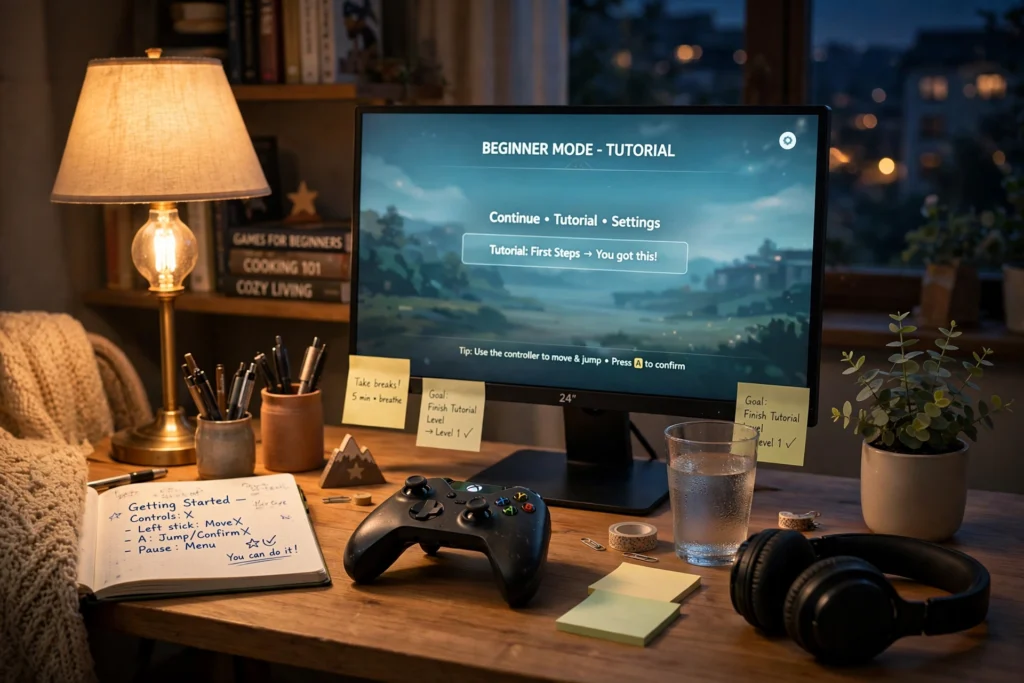
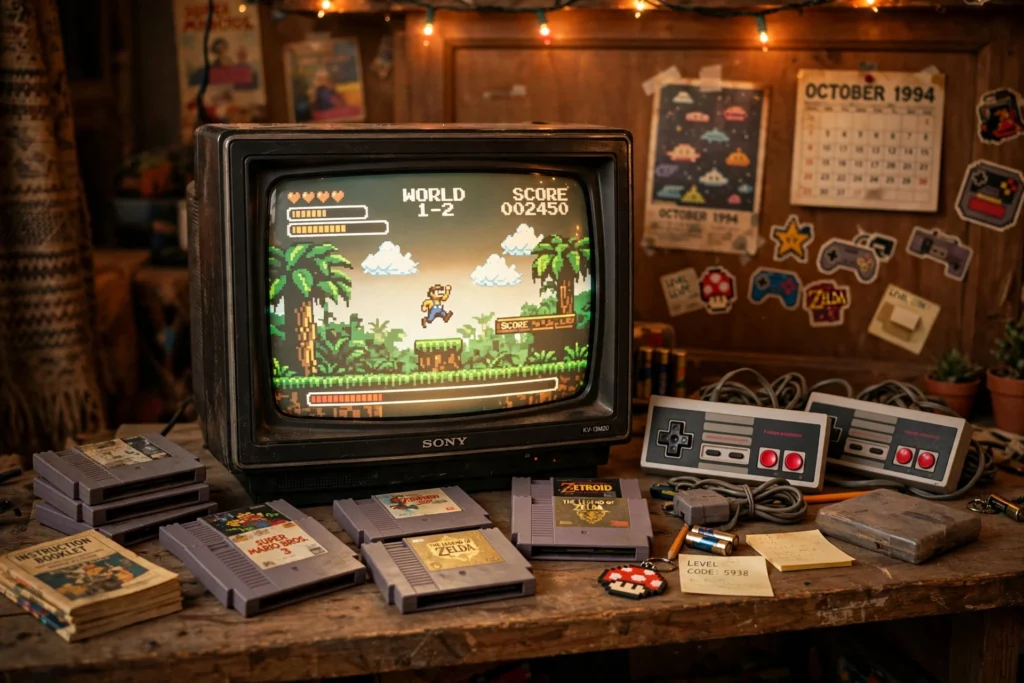
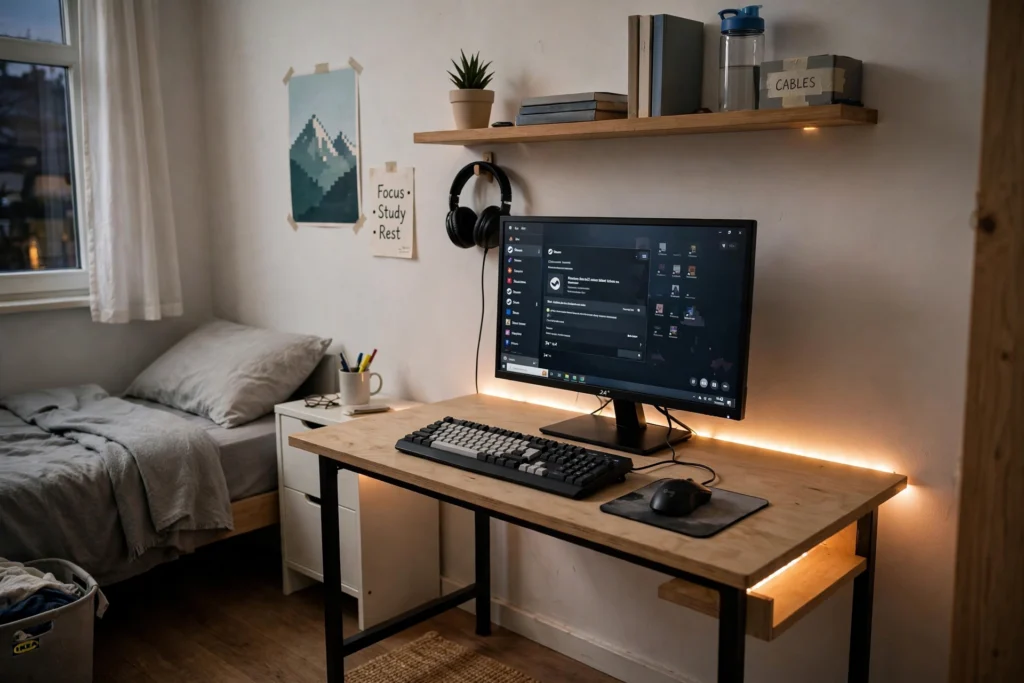
You don’t need a $5,000 streaming studio to have a gaming space that feels yours. Some of the coolest gaming rooms on the internet were built with thrift-store finds, a $20 LED strip, and a free Saturday afternoon. If you’re hunting for gaming room ideas on a budget, this is your master list: 25 ideas across DIY decor, lighting, small-space layouts, cable management, and thrift flips — every one of them cheap, renter-friendly where it matters, and doable in a weekend.
The secret nobody tells beginners: a gaming room feels expensive because of cohesion, not cost. Pick one color scheme, hide the cables, add one dramatic lighting element, and hang something personal on the wall — that’s 80% of the transformation. The other 20% is the fun stuff below. Let’s build it.
Start Here: The 4 Rules of Budget Gaming Rooms
Before you buy a single LED strip, internalize these four rules. They’ll save you more money than any single deal.
Rule 1: Pick a palette, then enforce it. Choose two colors (one bold, one neutral) plus black. Every purchase has to pass the palette test. A room with five random colors looks cluttered; a room with two intentional colors looks designed — even if everything came from a thrift store.
Rule 2: Lighting beats furniture. A $25 light strip changes a room’s mood more than a $250 chair. Budget rooms should spend on light first, furniture second.
Rule 3: Hide the chaos, show the personality. Cables, chargers, and clutter get hidden. Posters, collectibles, and DIY art get displayed. The ratio of hidden-to-shown is what separates “gamer cave” from “cable nest.”
Rule 4: Measure twice, buy once. Small spaces punish impulse buys. Measure your wall, your desk depth, and your door swing before ordering anything. Returns are the hidden tax on budget decorating.
With that foundation, here are the 25 ideas — roughly ordered from biggest impact per dollar to finishing touches.
Lighting: The Biggest Transformation for the Least Money
1. LED strip behind the desk or TV (the $20 game-changer)
This is the single highest-impact budget upgrade in gaming decor. A single adhesive LED strip mounted behind your monitor, desk, or TV creates a glow that makes the whole wall look intentional. Get an addressable strip (ones you can control per-section from your phone) in your palette colors — set it once and forget it. Pro tip: mount it 2–3 inches from the wall edge so the light washes the wall instead of glaring at you.
2. Bias lighting for eye comfort (that also looks cool)
Here’s the practical excuse for the pretty lights: a soft glow behind your screen reduces eye strain during long sessions by cutting the contrast between a bright screen and a dark room. White or warm-white bias lighting is the ergonomic choice; colored is the vibe choice. Many gamers run warm white for daily use and switch to color for the aesthetic. Your eyes will thank you either way.
3. A thrifted lamp with a smart bulb
Table lamps are the most underrated gaming room lighting. A cool-shaped lamp from a thrift store ($5–$10) plus one color-changing smart bulb gives you a sculptural light source that doubles as decor. Place it on a shelf or side table for layered lighting — the difference between one overhead light and three light sources is the difference between a bedroom and a room.
4. DIY cloud or neon-sign wall accent
The floating “cloud” ceiling light (cotton batting over LED strips on a wire frame) is a classic DIY that photographs incredibly well and costs under $30 in materials. Alternatively, small neon-style LED signs with gaming words or shapes run $15–$30 online and instantly become the room’s focal point. Either one gives you the “wow” background for video calls and streams.
5. Curtain upgrades: blackout + color
If your gaming space has a window, blackout curtains in your accent color do triple duty: they kill screen glare during daytime sessions, they make LED lighting pop at night, and they’re one of the cheapest ways to add a big block of your palette to the room. Look for them at discount home stores — they go on sale constantly.
DIY Decor: Make It Personal for Pennies
6. Gallery wall of game art (printed at home or cheap prints)
You don’t need original art. Official key art, minimalist game posters, and fan art prints (many artists sell digital downloads for a few dollars that you print at a copy shop) in matching frames create a gallery wall that looks curated. The trick is uniform framing — ten $3 prints in identical black frames look like a $300 art wall. Arrange them on the floor first, photograph the layout, then hang.
7. Floating shelves for collectibles and figures
A set of small floating shelves ($15–$25 for a multi-pack) turns a blank wall into a display for figures, game cases, and small plants. Style them with the “rule of three”: group items in odd numbers, vary heights, and leave breathing room. Even non-collectors can display a stack of favorite game cases spine-out like books — it reads as intentional decor.
8. DIY acoustic-style wall panels (that are really just decor)
Those hexagonal and slatted wood wall panels all over gaming setups? The budget version is craft-store foam or wood-look adhesive panels arranged in a geometric pattern behind your desk. They add texture and depth to flat walls for a fraction of the cost, and in a small room they make the wall behind your setup feel like a designed backdrop instead of blank drywall.
9. Paint one accent wall (renter-friendly options included)
One wall in a deep, moody color — charcoal, navy, forest green — transforms a gaming corner more than any accessory. Renters: peel-and-stick wallpaper or large fabric panels hung with removable hooks give the same effect with zero paint. A dark accent wall also makes screens and LED glow look dramatically better, which is why streamers love them.
10. Corkboard or pegboard command center
A pegboard above or beside your desk holds headphones, controllers, cables, and small decor on hooks — functional and decorative. Paint it your accent color for a custom look. Corkboards work the same way for ticket stubs, photos, achievement printouts, and pin collections. Both cost under $25 and solve storage while decorating a wall.
Small-Space Layouts: Big Setup Energy in Tiny Rooms
11. The corner command station
Corners are the most wasted space in small rooms and the best place for a gaming setup. A simple L-shaped or corner desk arrangement puts your screen in the corner with you facing out — it feels private and cockpit-like, uses dead space, and keeps the rest of the room open. Even a regular desk pushed into a corner with the monitor angled works.
12. Vertical is your friend: go up, not out
Small rooms can’t sprawl, so build upward: monitor on an arm or riser (frees desk space underneath), shelves above the desk, pegboard on the wall, storage bins stacked vertically. A $20 monitor riser with storage underneath effectively doubles your desk surface. Wall-mounted anything beats floor-standing everything in a small space.
13. The closet gaming nook
Got a closet you barely use? Remove the doors (store them — renters, this matters), add a small desk or shelf at sitting height, run an LED strip and a power strip, and you’ve got a gaming nook with built-in coziness and a door you can close. It’s the ultimate small-apartment hack: a dedicated gaming space that disappears when guests come over.
14. Bed-loft or under-bed zones
In dorm rooms and kids’ rooms, lofting the bed creates an entire gaming zone underneath — desk, chair, lighting, done. Even without a full loft, the “under-bed” area with a low profile setup works for handheld and laptop gaming. Add a curtain or LED strip under the loft and it feels like a secret base, which is exactly the point.
15. One-room zoning with rugs and lighting
In a studio or shared bedroom, you can’t build walls — so imply them. A rug under your gaming chair defines “the gaming zone.” A different light color temperature in that zone (cool LEDs at the desk, warm lamp by the bed) tells your brain the spaces are separate. Zoning is free psychology: it makes one room feel like two.
Cable Management: The Invisible Upgrade
16. The under-desk cable tray (hide everything)
Nothing ruins a setup photo — or a room’s vibe — like a Medusa tangle of cables under the desk. A simple under-desk cable tray or even a wire basket screwed beneath the desktop corrals power strips, chargers, and slack. Twenty minutes with zip ties and a tray takes a setup from “dorm disaster” to “deliberate.” This is the upgrade guests actually notice, even if they can’t name it.
17. Velcro ties and labeled cables
Buy a roll of reusable velcro cable ties (pennies each in bulk) and bundle every cable run. Label both ends of anything you unplug regularly with masking tape and a marker — future-you, troubleshooting at midnight, will be grateful. It’s the least glamorous item on this list and one of the most satisfying.
18. Cable raceways along walls and desks
For cables that must travel — console to TV, PC to monitor across the room — adhesive cable raceways (paintable plastic channels) hide the run along baseboards or desk edges. Paint them wall-color and they vanish. A few dollars per channel, and suddenly there are no cables visibly crossing your room at all.
19. A charging drawer or station
Designate one drawer or one small shelf as the only place chargers live. A cheap desk organizer or a small box with cable slots keeps controllers, headsets, and phones charging in one contained spot instead of sprawled across every surface. Containment is 90% of cable management.
Thrift Flips: Secondhand Scores That Look Expensive
20. Thrifted frames for instant gallery walls
Thrift stores are overflowing with solid frames for $1–$3. Buy every decent black or wood frame you find over a few visits, spray-paint the mismatched ones one uniform color, and you’ve got a gallery wall for the price of a coffee. Check the art inside too — sometimes the print is worth keeping.
21. Old furniture, new purpose
That $15 thrift-store dresser? It’s a console stand with storage. A wooden TV tray becomes a side table for drinks and controllers. An old bookshelf laid horizontally is a media console. Look at thrift furniture for shape and sturdiness, not finish — paint and new hardware transform almost anything. Solid wood pieces from decades past are often better built than new flat-pack.
22. Baskets and bins: the clutter camouflage
Woven baskets, fabric bins, and wooden crates from thrift stores and discount shops hide the unglamorous stuff — extra controllers, cables, snacks, board games — while adding texture to shelves. Matching or coordinating bins on an open shelf look like a styling choice; random clutter looks like a mess. Same shelf, different containers, completely different room.
23. Plants (real or fake) soften everything
Gaming rooms skew hard toward plastic, metal, and screens — one plant changes the whole feel. Pothos and snake plants survive neglect and low light; good fake plants survive everything and cost a few dollars at discount stores. A trailing plant on a high shelf above your setup is the classic move: it adds life and color contrast to all the tech.
Finishing Touches: The Details That Sell It
24. A statement rug
A rug in your palette under the gaming chair anchors the whole zone — it’s the difference between “desk in a room” and “setup.” Rugs also dampen echo, which genuinely improves voice chat and speaker sound. Discount home stores and online marketplaces have large rugs for far less than furniture stores; just check the pile height so your chair rolls freely.
25. Scent and sound: the invisible decor
The final layer nobody photographs: a candle, incense, or diffuser in a signature scent makes the room feel finished when you walk in, and a small Bluetooth speaker for background music between sessions keeps the vibe alive when you’re not actively playing. These are $10–$15 touches that make a budget room feel considered rather than assembled.
Budget Breakdown: What a Full Room Actually Costs
Let’s put numbers to the dream. Here’s a realistic budget for transforming a corner or small room using the ideas above, assuming you thrift aggressively and shop sales:
| Category | Budget approach | Rough cost |
|---|---|---|
| Lighting (LED strip + smart bulb + thrift lamp) | The big mood-setter | $30–$50 |
| Wall decor (prints, frames, pegboard) | Thrift + print at home | $25–$45 |
| Cable management (tray, ties, raceways) | One hardware-store trip | $15–$25 |
| Textiles (rug, blackout curtain) | Discount home stores | $40–$80 |
| Storage (baskets, bins, shelves) | Thrift + multi-packs | $20–$40 |
| Furniture flips (paint, hardware) | One dresser/shelf makeover | $20–$40 |
| Plants and finishing touches | Discount + DIY | $15–$25 |
| Total | $165–$305 |
That’s a complete room transformation for the price of two new video games. The key insight behind every one of these gaming room ideas on a budget: spend where the eye goes (lighting, walls, textiles) and save where it doesn’t (cable guts, storage interiors, furniture bones).
Frequently Asked Questions
How can I make a gaming room look good on a really tight budget, like under $100?
Prioritize in this order: one LED strip behind your setup ($20), thrifted frames with printed art for one gallery wall ($15), and a cable management kit — tray plus velcro ties ($15). That’s $50 and it covers lighting, walls, and clutter, which are the three things the eye reads as “designed.” Add a blackout curtain or a plant with the remaining budget.
What’s the best color scheme for a small gaming room?
Dark, moody walls (charcoal, navy, deep green) with one bright accent (amber, teal, purple) photograph best and make screens and LEDs pop. In very small rooms, keep the dark color to one accent wall and the rest light so the space doesn’t feel cramped. Whatever you choose, commit: two colors plus black, enforced on every purchase.
How do I set up a gaming area in a shared bedroom or studio apartment?
Use zoning instead of walls: a rug defines the gaming zone, a corner desk keeps the footprint small, and different lighting temperatures separate “gaming” from “sleeping” psychologically. The closet-nook trick (idea #13) is the gold standard for studios — a gaming space with a door you can close. Keep everything on one power strip so shutdown is one switch.
Are LED lights bad for your eyes during long gaming sessions?
The lights themselves aren’t the problem — contrast is. A bright screen in a pitch-dark room forces your eyes to work harder. Bias lighting (a soft glow behind the screen) actually reduces eye strain. Use warm white for long sessions, keep colored lighting as accent rather than the only light source, and follow the 20-20-20 rule: every 20 minutes, look at something 20 feet away for 20 seconds.
How do I hide cables if I’m renting and can’t drill into walls or desks?
Everything on this list’s cable section is renter-friendly: adhesive cable raceways peel off cleanly, under-desk trays can mount with heavy-duty adhesive strips instead of screws, velcro ties need no mounting at all, and fabric cord covers drape over runs along the floor. Command-style hooks hold lightweight cable runs on walls. When in doubt, route cables behind furniture — free and invisible.
Where’s the best place to find cheap gaming decor?
Thrift stores (frames, lamps, baskets, solid-wood furniture), discount home stores (rugs, curtains, bins), online marketplaces for secondhand furniture, and print-at-home or copy-shop printing for wall art. Dollar stores cover velcro ties, small organizers, and fake plants. The trick is patience: visit thrift stores regularly and buy good bones when you see them, even before you have a plan.
How do I make a gaming setup look good on video calls or streams?
The camera sees what’s behind you, so design the background first: the gallery wall or pegboard, the LED glow, and one focal piece (neon sign or plant). Keep the light source in front of your face (a lamp or window), not behind you. Tidy cables ruthlessly — cameras exaggerate clutter. You don’t need a full room makeover; one well-designed wall behind your chair does 90% of the work.
Can I build a nice gaming room if I only play on a console, not a PC?
Absolutely — console setups are often easier to make beautiful because there’s less hardware to hide. A TV or monitor on a thrifted dresser, the console beside it, one LED strip behind the screen, a gallery wall above, and a comfortable chair: that’s a complete, photogenic gaming corner. Ideas #6–#10 (decor) and #16–#19 (cable management) apply identically to console players.
Conclusion: Your Room, Your Rules, Your Budget
The best gaming room ideas on a budget all share one philosophy: design is decisions, not dollars. A $200 room with a clear palette, hidden cables, and one great light source will always beat a $2,000 room full of random gear. Start with lighting, pick your two colors, hide the chaos, and build the wall behind your setup first — that’s what you’ll see every day and what everyone else sees on camera. Then thrift, DIY, and iterate. The room doesn’t have to be finished this weekend; the best gaming spaces evolve with the player. Yours is already underway.