
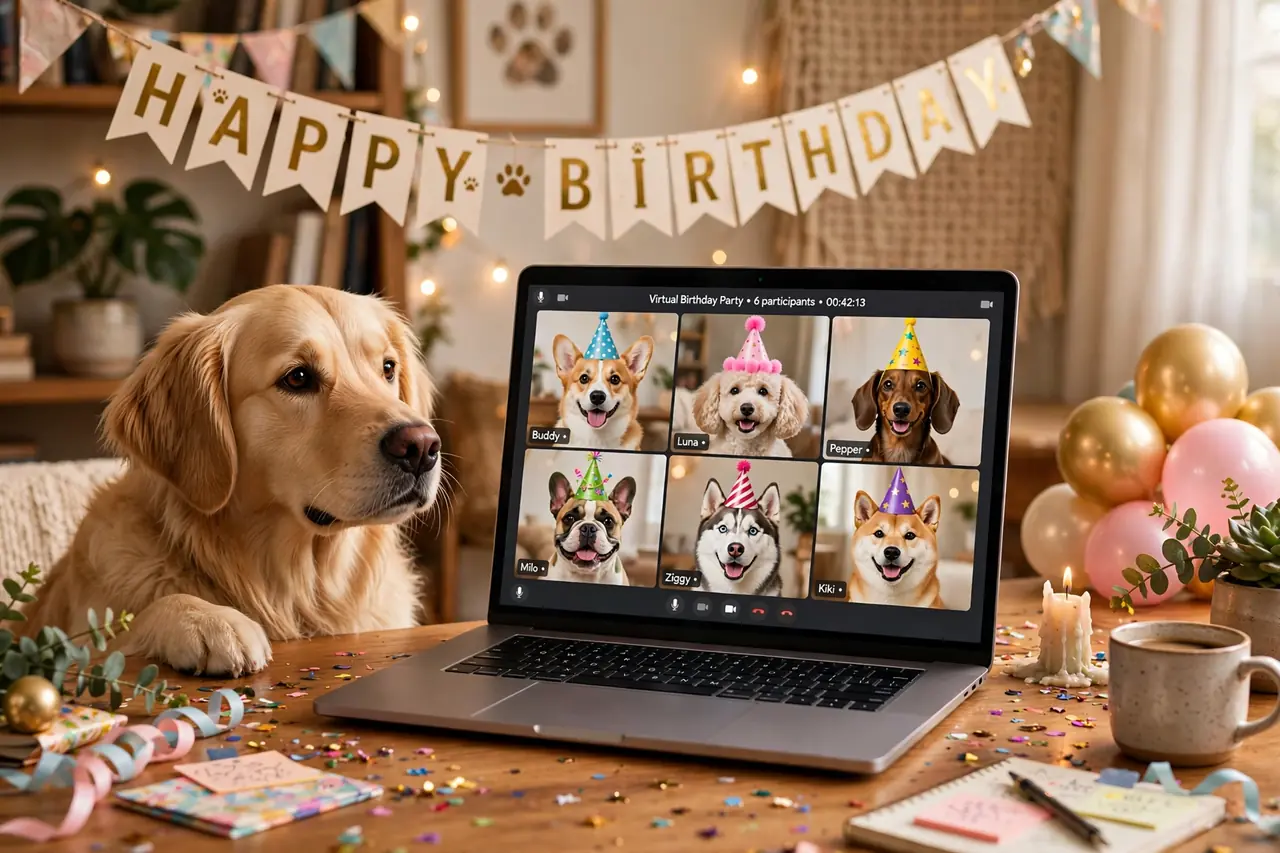
Your dog’s best friend moved across the country. Grandma wants to watch the cake ceremony. Half the guest list has conflicting schedules. The answer is not to skip the party — it is to take the party online. Virtual pet birthday party ideas have evolved far beyond “everyone stares at a laptop for an hour.” Done right, a virtual pawty is interactive, hilarious, and genuinely moving: dogs reacting to familiar voices through speakers, synchronized treat ceremonies across time zones, and a gallery of screenshots that rivals any in-person album.
This guide covers the complete playbook: choosing the right platform, the tech setup that prevents 90% of problems, a minute-by-minute party timeline, 20 activity ideas designed specifically for video (not awkwardly ported from real life), how to handle the food problem (every dog needs cake at the same moment), and the keepsakes that make it feel real. Whether your guests are in the next town or on the next continent, the birthday pup will feel celebrated.
Choosing Your Platform
Zoom remains the default for good reason: gallery view handles 10–15 dogs beautifully, breakout rooms let you split into small groups for games, screen sharing works for slideshows and videos, and most guests already know how to use it. The 40-minute limit on free accounts is the main constraint — either keep the party tight, have the host hold a paid account, or plan a “halftime” where everyone rejoins (which actually works as a natural break).
Google Meet is the simplest option — no downloads, runs in a browser, generous free limits. Fewer bells and whistles than Zoom (no breakout rooms on free tiers), but for straightforward “everyone together” parties, simplicity wins. Best for less tech-savvy guests like grandparents.
FaceTime works for small, all-Apple groups (up to 32 participants). The advantage is zero setup — just start a group call. The disadvantage is obvious: one Android user breaks the whole plan. Confirm everyone’s devices before committing.
Discord suits the gaming-adjacent crowd: persistent party “server,” voice channels for side conversations, screen sharing, and no time limits. The learning curve is steeper for non-gamers, so only choose this if your guest list is already Discord-comfortable.
Whatever you choose: do a tech rehearsal 48 hours before. Test the host’s camera, microphone, lighting, screen sharing, and internet stability. Send guests a one-page “how to join” guide with the link, the time in their time zone, and a troubleshooting contact (your phone number). 80% of virtual party disasters are preventable with a 10-minute rehearsal.
The Tech Setup That Prevents Disasters
Camera position: elevate the laptop or phone to the dog’s eye level — a stack of books works. A camera staring down at the dog’s head is unflattering and disorienting for remote guests. Frame the “party zone” (dog + cake + decorations) tightly; a wide shot of your whole living room dilutes the focus.
Lighting: face the party zone toward the brightest window. Backlit dogs become silhouettes, and no filter fixes it. If the party is in the evening, put a lamp (shade on, warm bulb) just out of frame facing the dog. Test with a selfie before guests arrive.
Audio: the #1 virtual party killer is bad audio. Use earbuds with a microphone (even cheap ones beat laptop mics), mute guests who are not actively participating, and keep background noise down. For the “Happy Birthday” singalong — the emotional peak — have everyone unmute simultaneously; the glorious cacophony is the point.
Bandwidth: ask household members to pause streaming and big downloads during the party. If the host’s connection is shaky, lower the video quality in settings — stable low-res beats frozen HD. Have a phone hotspot as backup and the dial-in number handy.
The co-host: designate a tech co-host (a friend, not you — you will be busy with the dog). The co-host admits guests from the waiting room, mutes the accidentally-unmuted, runs screen shares, and troubleshoots in chat while you stay present with the party. This role is the difference between a smooth event and you spending 40 minutes saying “can you hear me?”
The Party Timeline: 60 Minutes That Fly
0:00–0:10 — Arrivals and introductions. Guests join to background music. Co-host admits from the waiting room. Each guest introduces their dog (“This is Biscuit, he’s 3, his talent is stealing socks”). Keep intros to 30 seconds each — the co-host can gently move things along.
0:10–0:25 — Game block 1. Two quick video-friendly games (see ideas below). High energy, lots of laughing, everyone participating.
0:25–0:35 — The birthday slideshow. Host shares screen: 3–4 minutes of the birthday dog’s best photos set to music, ending with a live “awww” from the gallery. This is the emotional centerpiece — do not skip it.
0:35–0:45 — Cake ceremony. Synchronized across all locations (more on the logistics below). Singing, candle-blowing (LED candles for safety on camera), the first bite. Screenshot furiously — this is the album cover moment.
0:45–0:55 — Game block 2. One more game, calmer than the first block. Trick showcase or the howl-along work beautifully here.
0:55–1:00 — Toasts and goodbye. Each guest gives the birthday pup a 15-second toast (“Happy birthday, Biscuit, you good boy”). Group screenshot finale. End on time — leaving them wanting more beats watching energy die.
Setup and Tech Ideas (1–5)
1. The mailed party kit. The single biggest upgrade to any virtual party. Two weeks before, mail each guest a small box: a party hat for their dog, a bag of treats, a “cake cup” (a single-serve dog cake mix — just add water and microwave), a printed game card, and confetti. When every dog eats cake at the same moment on camera, the party feels shared, not just watched. Budget $8–$12 per kit including shipping.
2. Virtual backgrounds, coordinated. Design (or find) a “Happy Birthday [Dog’s Name]!” virtual background and send it to guests in advance. When half the gallery uses it, the party looks produced. Bonus: guests whose homes are chaotic can hide the mess — which increases attendance.
3. The pre-party slideshow loop. While guests arrive, screen-share a looping slideshow of the birthday dog’s photos. It gives early joiners something to watch, sets the emotional tone, and — practically — it confirms your screen sharing works before it matters.
4. Spotlight strategy. Learn your platform’s spotlight/pin feature before the party. Spotlight the birthday dog during the cake ceremony (everyone sees the star full-screen), spotlight game participants during their turns, and return to gallery view for group moments. Active spotlight management is what makes a virtual event feel directed rather than accidental.
5. The backup recording. Hit record (announce it first — consent matters). The recording becomes the party’s documentary: the singalong, the toasts, the moment three dogs howled simultaneously. Edit a 2-minute highlight reel afterward and send it to guests. Future you will treasure this more than any single photo.

Video-Friendly Games (6–13)
Not every in-person game survives the jump to video. These eight were designed for the grid.
6. Synchronized trick showcase. Each guest gets 60 seconds to show their dog’s best trick on camera. The host provides color commentary. Audience votes in chat with emoji. Works flawlessly on video because each performance is naturally framed — one dog, one camera, full attention.
7. The treat-catch championship. On the count of three, every owner tosses a treat to their dog. Screenshot the mid-air moments. Categories: “highest catch,” “most dramatic miss,” “best treat-bounce-off-nose.” The grid of simultaneous treat catches is pure joy.
8. Bingo: dog edition. Email bingo cards in the party kit (squares like “dog barks,” “dog tilts head,” “treat caught mid-air,” “someone’s cat walks through frame”). First to bingo shouts it — the co-host verifies via the honor system. Genuinely engaging because it makes guests watch each other’s dogs closely.
9. Costume contest. Category judging via poll: “funniest,” “most creative,” “best group theme” (for multi-dog households). Give each contestant a 20-second “runway walk” past their camera. The poll feature (Zoom) or chat voting keeps it snappy.
10. The howl-along. Host plays a siren or harmonica; every unmuted dog responds (or doesn’t). Award “first howl,” “longest,” “most operatic,” and “most confused.” On video, the grid of howling dogs is the funniest thing most guests will see all month. Record this segment specifically.
11. “Who’s that puppy?” Before the party, collect baby photos of each guest dog. Screen-share them one at a time; guests guess whose puppy it is in chat. Heart-melting and hilarious in equal measure — nobody’s fierce guard dog looks intimidating as an 8-week-old fluffball.
12. Scavenger hunt: home edition. “Find something your dog has destroyed!” “Find your dog’s favorite toy!” “Find the weirdest thing your dog has eaten (or tried to)!” Guests race off-camera and return with exhibits. The show-and-tell format is made for video — every return is a little reveal.
13. Talent show: human edition. Each human performs a 30-second talent for the birthday dog — a song, a poem, a dramatic reading of the dog’s adoption listing. The dogs’ baffled reactions are the real show. This game consistently produces the party’s most-quoted moments.
The Synchronized Cake Ceremony: Logistics
The cake moment is the emotional peak — and the hardest thing to coordinate virtually. Here is how to nail it.
Option A: mailed cake cups (best). Include a single-serve dog cake mix cup in the party kit. At ceremony time, every guest microwaves (or has pre-baked) their cup, adds the included candle, and the host counts down: “Light candles in 3… 2… 1…” Everyone sings, every dog gets cake simultaneously. The grid of dogs eating cake in unison is the money shot — screenshot it.
Option B: the recipe drop. Email a simple 3-ingredient dog cake recipe a week before (“mug cake for dogs”) and ask guests to bake it. Lower participation rate than mailed kits, but zero shipping cost. Works best when most guests are experienced dog owners.
Option C: treat toast. Simplest of all: at the signal, every owner gives their dog a special high-value treat. No baking, no shipping, still synchronized. Less visually dramatic than cake, but the simultaneity still lands emotionally.
Candle safety on camera: use LED candles in mailed kits (real candles + excited dogs + distracted owners = risk). For the “blow out the candles” moment, the host can light one real candle on the main cake, blow it out on camera, and everyone cheers. The symbolism survives; the risk does not.
Themes and Keepsakes (14–20)
14. The decade theme. Pick a decade (the ’80s are undefeated for this) — guests dress themselves and their dogs accordingly, the playlist matches, the virtual background matches. Constraints breed creativity, and the screenshots look incredible.
15. Pajama pawty. The lowest-effort theme with the highest comfort: everyone (dogs and humans) attends in pajamas. It signals “this is relaxed and cozy,” which puts tech-anxious guests at ease. Bonus: bedhead dogs are objectively adorable.
16. The group screenshot gallery. Assign the co-host as official screenshot photographer: the arrival grid, the cake moment, the howl-along, the final toast. After the party, arrange the 8–10 best into a collage and send to everyone. This is the virtual equivalent of the photo booth — designate it, or it will not happen.
17. Digital guest book. A shared Google Slide where each guest adds one slide: their dog’s photo, a birthday message, maybe a drawing. It becomes a keepsake the host treasures — and unlike a paper guest book, distance is no obstacle. Send the link in the party kit and remind guests twice.
18. The highlight reel. Edit the recording down to 2–3 minutes: the best trick, the synchronized cake, the howl, the toasts. Set it to music. Send it within a week while the glow is fresh. This is the artifact guests rewatch and share — it extends the party’s life by months.
19. Toast cards. Include blank “toast cards” in the party kit; during the final 5 minutes, each guest reads theirs (“To Biscuit: may your treats be many and your baths be few”). The physical card makes the virtual toast feel ceremonial rather than improvised.
20. The annual tradition. End by scheduling next year’s party — same platform, same time. “See you all for Biscuit’s 4th!” Virtual parties have a superpower in-person ones lack: zero travel means near-100% return attendance. Lean into it and build a tradition.

The Virtual Invitation: What to Include
Virtual invitations need everything a normal invitation needs, plus tech specifics. Send 3 weeks ahead (kits need mailing time), and include: the platform name and join link (or “link coming 2 days before”), the date and time in every guest’s time zone, the party kit note (“a surprise box is coming — don’t let your dog open it early!”), the RSVP deadline tied to kit mailing (“RSVP by May 15 so we can ship your kit”), dress code for dogs (“party hats encouraged”), and a tech contact number. A 20-second video invitation of the birthday dog “talking” (treats just off-camera work wonders) gets dramatically higher RSVP rates than text — nobody ignores a video message from a dog in a party hat.
Troubleshooting: The 10-Minute Fix-It List
Print this for your co-host. “I can’t hear anyone”: check the platform isn’t muted and the device volume is up; switch audio output from laptop speakers to earbuds. “My video is frozen”: turn video off and back on; if that fails, leave and rejoin. “Everything is laggy”: turn off HD video in settings, close other apps, move closer to the router. “The link doesn’t work”: have the meeting ID and passcode ready to read aloud, plus the dial-in phone number as a last resort. “My dog knocked over the laptop”: it will happen to someone — laugh, help them rejoin, and consider it the party’s blooper reel. Echo/feedback: one device per room on audio; everyone else joins muted or via chat. Run through this list in the rehearsal so the co-host handles fixes without interrupting the party’s flow.
Platform Comparison
| Platform | Free limit | Max participants | Standout feature | Best for |
|---|---|---|---|---|
| Zoom | 40 min/group | 100 | Breakout rooms, polls, spotlight | Most parties; fullest feature set |
| Google Meet | 60 min/group | 100 | No download, browser-based | Tech-anxious guests, simplicity |
| FaceTime | Unlimited | 32 | Zero setup for Apple users | Small, all-Apple groups |
| Discord | Unlimited | 25 (video) | Persistent server, no time limit | Gaming-comfortable crowds |
| Skype | Unlimited | 100 | Call recording built in | International guests (dial-in) |
| Unlimited | 32 | Everyone already has it | Small, casual, global groups |
Watch: How to Host Virtual Events People Actually Enjoy
The difference between a virtual gathering people tolerate and one they love comes down to hosting craft — pacing, energy, participation design. This video breaks down seven practical tips from someone who has hosted hundreds of virtual events, and every single one applies directly to running a virtual pet birthday party that feels alive rather than awkward.
FAQs About Virtual Pet Birthday Party Ideas
How long should a virtual pet birthday party last?
60 minutes is the sweet spot — long enough for games, cake, and toasts, short enough that dogs (and humans) stay engaged. Ninety minutes is the absolute max; beyond that, dogs wander off and guests start multitasking. The timeline above fits neatly into an hour. If you have a big guest list, trim game blocks rather than extending the total.
What if a guest’s dog will not cooperate on camera?
Completely normal — dogs do not understand video calls. Let the dog wander; the owner can still participate, and the dog will inevitably wander back at the funniest moment (usually during the toast). Never pressure an owner about their dog’s behavior. Some of the best virtual party moments are dogs spectacularly ignoring the entire event.
How do I handle different time zones?
Pick the time that suits the birthday dog’s household first (their routine matters most), then check it is humane for everyone else — a 3 PM Pacific party is 6 PM Eastern (fine) but 11 PM in London (not fine). State every time with its zone: “3 PM PT / 6 PM ET.” For truly global lists, consider two shorter parties rather than one punishing one.
What should I put in the mailed party kit?
The essentials: a party hat for the dog, treats, a single-serve cake mix cup with an LED candle, a bingo card, confetti, and a one-page party guide (schedule, link, tech tips). Nice extras: a bandana, a toast card, stickers. Mail 10–14 days before the party; include a note: “Do not open until the pawty!” (Nobody will obey. That is fine.)
How much does a virtual pet birthday party cost?
$50–$150 total for most parties: $8–$12 per mailed kit × guest count, plus nothing for the platform (free tiers suffice). Compare that to an in-person party’s food, decorations, and venue costs — virtual is dramatically cheaper. The biggest expense is shipping the kits; ordering supplies in bulk and assembling yourself keeps costs down.
Can I combine virtual and in-person guests?
Yes — the “hybrid pawty.” Set up a laptop at the in-person party facing the action, with a dedicated “virtual liaison” (a human whose job is managing the remote guests: pointing the camera, relaying chat, making sure remote dogs get screen time). It takes one extra volunteer and doubles your guest list. Just ensure the in-person party’s noise does not drown out remote participants — the liaison’s earbuds help.
How do I keep kids engaged during a virtual pet party?
Give them jobs: official screenshot taker, bingo caller, chat monitor, “applause leader.” Kids with roles stay engaged; kids as passive viewers do not. The scavenger hunt and costume contest are naturally kid-friendly. Keep their segments short and high-energy — 5-minute bursts, not 20-minute blocks.
What if my internet cuts out mid-party?
Have the co-host ready to take over hosting instantly (make them a co-host in the platform settings beforehand, and send them the slide deck and game materials). If you drop, the co-host continues; you rejoin as a guest. Announce the plan in advance so a dropout causes a ripple, not a panic. The phone hotspot backup covers most outages in under two minutes.
Should I record the party?
Yes — with announced consent at the start (“We’re recording the highlights — let us know if you’d rather stay off-camera!”). The recording is the party’s documentary and the raw material for the highlight reel. Store it privately (unlisted link, not public) and share only with guests. Delete it after a year if you are privacy-conscious; keep the highlight reel forever.
How do I make a virtual party feel special, not second-best?
Stop apologizing for it being virtual — frame it as a feature: “guests from six states!” The mailed kit, the coordinated backgrounds, the directed spotlighting, and the highlight reel all signal production value, which is what makes events feel special in any medium. Guests mirror your energy: if you treat it as a real party, they will too.
How do I include dogs who are camera-shy or reactive to screens?
Some dogs bark at screens or get stressed by the audio — that is normal. Their owners can participate with camera on but dog off-screen, joining games that do not require the dog’s attention (bingo, “who’s that puppy,” the toast). Alternatively, pre-record a 30-second clip of the dog and have the co-host play it during the trick showcase. Nobody should feel their dog “failed” the party; participation comes in many forms.
What is the best time of day for a virtual pet party?
Late afternoon in the host’s time zone — dogs are past the midday crazies but not yet in evening wind-down, and natural window light is at its best. Avoid early mornings (dogs are wild, humans are groggy) and late evenings (tired dogs, bad lighting). If guests span many zones, poll them with two or three options rather than guessing.
Can I hire entertainment for a virtual pet party?
Yes, and it is more affordable than you would think: virtual pet psychics, dog trainers doing live trick tutorials, and pet portrait artists sketching guests’ dogs on screen all offer 20–30 minute virtual appearances. Book 3–4 weeks ahead, test their tech in advance, and schedule them for the middle game block when energy is highest. It is a splurge that guests talk about for years.
How do I get good screenshots during the party?
Designate the co-host as photographer and have them use the platform’s built-in screenshot or the OS shortcut (not a phone photo of the screen — quality matters). They should capture: the full gallery on arrival, each game’s peak moment, the synchronized cake bite, and the final toast. Afterward, pick the 10 best and arrange them into a collage before sending — curation is what turns 50 random screenshots into a keepsake album.
Distance Means Nothing to a Dog
Your dog does not know what Zoom is. They know that on Saturday afternoon, familiar voices came through the speaker, treats rained from the sky on a countdown, and their favorite humans all looked at them and smiled at once. That is not a lesser party — in some ways, it is a purer one, stripped of logistics and left with pure celebration. Send the kits, test the tech, spotlight the star, and let the grid fill with wagging tails from every time zone.
For more virtual celebration inspiration, see our virtual New Year’s Eve party ideas (the hosting principles transfer directly), find screen-friendly competition in the best party video games, and if any guest is traveling to join in person, our flying with pets guide has them covered. Happy virtual birthday — wherever everyone is.