
Lights that turn themselves off when you leave, a thermostat that learns your schedule, a doorbell that shows you who’s there from anywhere in the world — the smart home has gone from futuristic fantasy to affordable reality. If the whole thing feels overwhelming, this smart home for beginners guide is your starting point. We’ll explain what a smart home actually is, the ecosystems and gadgets that make it work, exactly what to buy first (and what to skip), how to set everything up without frustration, and how to keep your connected home private and secure. No technical background required — if you can use a smartphone, you can build a smart home.
Here’s the mindset that will save you money and headaches: a smart home is not about buying dozens of gadgets. It’s about solving small, real annoyances in your daily routine — the porch light you always forget, the thermostat wars, wondering if you locked the door — one device at a time. Start with a single problem, solve it well, and expand only when the next problem is worth solving.
What Is a Smart Home, Really?
A smart home is a home where everyday devices — lights, thermostats, locks, cameras, speakers, plugs — connect to the internet (and to each other) so you can control and automate them from your phone, by voice, or on schedules. The umbrella term for these connected gadgets is the Internet of Things (IoT).
Three capabilities define the experience:
- Remote control: Turn things on and off from anywhere — check the locks from the office, warm up the house before you land.
- Voice control: Ask a smart speaker to dim the lights, play music, or set a timer while your hands are full.
- Automation: The real magic. Devices act on their own based on triggers: lights fade on at sunset, the thermostat eases down at bedtime, the porch camera alerts you only when a person (not a cat) appears.
An automation is simply an if this, then that rule. If the front door unlocks after sunset, then turn on the entryway light. Once you internalize that formula, the whole smart home clicks into place.
Choose Your Ecosystem First
The single most important decision is which platform — or ecosystem — your devices will speak. Mixing ecosystems is the number one source of beginner frustration, so pick one and buy devices certified to work with it.
| Ecosystem | Voice assistant | Strengths | Considerations |
|---|---|---|---|
| Amazon Alexa | Alexa | Huge device compatibility, affordable Echo speakers, mature routines | Amazon-centric; privacy-conscious users should review settings |
| Google Home | Google Assistant | Excellent at questions and search, strong Nest device lineup | Google account required; some advanced features need subscriptions |
| Apple Home | Siri | Best-in-class privacy, seamless for iPhone households | Smaller (though growing) device selection; premium pricing |
| Samsung SmartThings | Bixby / works with Alexa & Google | Powerful automations, broad protocol support | More tinkering required than the big three |
How to choose: if your household runs on iPhones, Apple Home is the natural fit. If you already have Echo speakers or a Fire TV, Alexa. If you’re deep in Google services and Android, Google Home. The good news is that Matter — a newer industry standard backed by all the big players — is making devices increasingly cross-compatible, so the walls between ecosystems are lower than they used to be. When shopping, look for the Matter logo or “Works with” badges for your chosen platform.
What You Actually Need to Get Started
Forget the showroom demos with fifty devices. A starter smart home needs just four things:
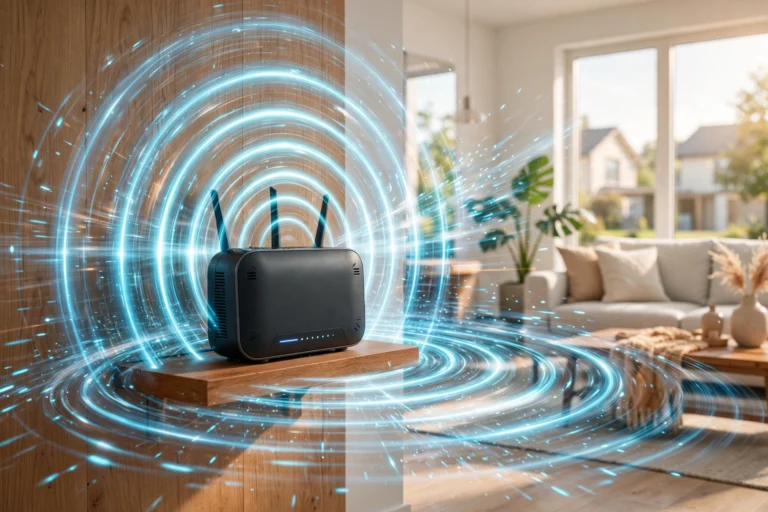
- Solid Wi-Fi. Smart devices are only as reliable as your network. If your Wi-Fi has dead zones, fix that first — a mesh Wi-Fi system (multiple units working together to blanket your home) is the single best smart-home upgrade most people can make. Most budget smart gadgets connect on the 2.4 GHz band, so make sure your router handles it well.
- One ecosystem app. Whatever platform you chose — the Alexa, Google Home, or Apple Home app becomes your command center.
- A voice speaker (optional but recommended). A smart speaker in the main living area gives you voice control and often doubles as a hub for other devices.
- One problem-solving device. Your first real gadget, chosen to fix a specific annoyance (see the starter picks below).
The Best First Devices for Beginners
Start with one of these proven, low-frustration entry points. Prices are typical ranges — always verify current prices before buying.
| Device | What it solves | Typical price | Difficulty |
|---|---|---|---|
| Smart plug | Make any lamp or appliance remote-controlled and scheduled | Typically $10–$25 each | Easiest — the perfect first device |
| Smart bulb | Dimmable, color-changing lighting with schedules | Typically $10–$20 per bulb | Easy |
| Smart speaker | Voice control hub for everything else | Typically $30–$100 | Easy |
| Video doorbell | See and talk to visitors from anywhere | Typically $60–$200 | Moderate (wiring or battery) |
| Smart thermostat | Learns your schedule, cuts energy bills | Typically $100–$250 | Moderate (HVAC wiring) |
| Smart lock | Keyless entry, guest codes, auto-lock | Typically $100–$300 | Moderate (replaces deadbolt) |
| Indoor camera | Check on pets, kids, or package deliveries | Typically $30–$100 | Easy |
The smart plug deserves special mention: for the price of a pizza, it teaches you the entire smart-home workflow — app pairing, Wi-Fi setup, scheduling, voice control — with almost nothing that can go wrong. Buy one, automate a lamp, and you’ll know within a week whether you want to go further.
Setting Up Your First Devices, Step by Step
- Unbox and download the device’s app. Most gadgets set up through the manufacturer’s app first, then link to your ecosystem.
- Connect to Wi-Fi. Follow the in-app prompts. If a device won’t connect, the culprit is almost always the 2.4 GHz vs. 5 GHz issue — temporarily connect your phone to the 2.4 GHz band or split the bands in your router settings during setup.
- Name it sensibly. “Living Room Lamp” beats “TP-Link Plug 3” when you’re talking to a voice assistant later.
- Link it to your ecosystem. In the Alexa, Google Home, or Apple Home app, add the device so voice control and cross-device automations work.
- Test before you mount. Toggle it from the app while standing next to it. Confirm it works before screwing a camera to the wall.
- Create one automation. Start simple: a lamp that turns on at sunset, a plug that kills the coffee maker at 9 AM. This is the moment gadgets become a system.
Automations Worth Stealing
Once you have two or three devices, these beginner-friendly automations deliver outsized delight:
- Sunset lighting: Porch and living-room lights fade on at sunset, off at bedtime. Never come home to a dark house again.
- Good morning routine: A single voice command (or 7 AM trigger) turns on lights gradually, reads the weather and calendar, and starts the coffee maker via smart plug.
- Away mode: When the last person leaves (detected by phone location), lights randomize in the evening, the thermostat eases back, and cameras arm.
- Bedtime shutdown: One command locks the doors, turns off all lights, and sets the thermostat to sleep temperature.
- Package watch: The doorbell camera sends a phone alert with a clip whenever a person approaches the porch.
- Leak defense: A water sensor under the sink or water heater pings your phone at the first sign of moisture — cheap insurance against expensive damage.
Smart Home Privacy and Security
Connected devices mean a larger attack surface, but a few habits keep the risks small:
- Secure your Wi-Fi first. Use WPA2 or WPA3 encryption with a strong, unique router password. Consider a separate guest network for smart devices if your router supports it.
- Change default passwords. Every camera, plug, and hub gets a unique password — never leave factory defaults in place.
- Enable two-factor authentication on every smart-home account (the manufacturer’s app and your ecosystem account).
- Keep firmware updated. Updates patch vulnerabilities; enable auto-updates where available.
- Review what’s listening. Check voice recordings and camera sharing settings periodically; mute microphones when you want guaranteed privacy.
- Buy from reputable brands. No-name gadgets often lack security updates entirely. Stick with established makers that publish update policies.
- Know where video goes. Understand whether your cameras store footage locally, in the cloud, or both — and who can access it.
Beginner Mistakes to Avoid
| Mistake | Why it hurts | Do this instead |
|---|---|---|
| Buying six devices at once | Overwhelm, compatibility chaos, wasted money | One device, one problem, learn, repeat |
| Ignoring your Wi-Fi | “Unreliable” gadgets are usually a network problem | Fix coverage first; consider mesh Wi-Fi |
| Mixing ecosystems randomly | Devices that can’t talk to each other | Pick one platform; check Matter/compatibility badges |
| Cheapest no-name brands | No security updates, app abandonment | Established brands with update track records |
| Over-automating | Lights turning off on occupied rooms; family revolt | Start with invisible, obviously-useful automations |
| Removing manual controls | Locked out when the internet drops | Keep physical switches and keys as backups |
Room-by-Room Smart Home Ideas
Not sure where to expand after your first device? Here’s how different rooms benefit most:
- Entryway: Smart lock with guest codes (no more hiding keys), video doorbell, and a motion-triggered entry light. This trio solves the three classic front-door anxieties: access, visitors, and coming home to darkness.
- Living room: Smart bulbs or plugs on lamps with a sunset routine, a smart speaker for voice control, and a smart plug that truly powers off the entertainment center to kill standby drain.
- Kitchen: Smart plug on the coffee maker for a scheduled morning brew, a voice speaker for hands-free timers while cooking, and a water-leak sensor under the sink — the unglamorous device that prevents the most expensive disasters.
- Bedroom: Bulbs that fade on gradually as a sunrise alarm, a smart plug that cuts the phone charger after a few hours, and a thermostat schedule that cools the room for sleep.
- Garage/utility: Smart garage-door controller (check it closed from anywhere), leak sensors by the water heater and washing machine, and a smart plug on the dehumidifier.
- Outdoors: Motion-activated floodlight camera, smart sprinkler controller that skips watering when rain is forecast, and outdoor-rated plugs for holiday lights on a schedule.
Smart Home for Renters
Renting doesn’t exclude you from the smart home — it just rules out anything requiring wiring changes. The renter-friendly playbook:
- Stick to plug-in and battery devices: smart plugs, bulbs, battery video doorbells, and stick-on sensors all install without tools and remove without a trace.
- Swap, don’t rewire: replace existing bulbs with smart bulbs rather than touching switches; use a smart lock adapter that fits over the existing deadbolt’s interior side instead of replacing the lock.
- Keep the originals: box up every bulb, lock part, and thermostat you replace so move-out restoration takes an afternoon, not a weekend.
- Check your lease: most landlords are fine with non-invasive gadgets, but cameras pointing at shared spaces and doorbell wiring can raise issues — a quick ask beats a lease dispute.
- Take it with you: the beauty of the renter’s smart home is portability. Your plugs, bulbs, and speaker move to the next apartment and set up in an hour.
How Much Does a Smart Home Cost?
Less than most people assume. A genuinely useful starter setup — a smart speaker, two smart plugs, and a couple of bulbs — typically runs $75–$150 total. A comfortable mid-range home with a video doorbell, thermostat, a few cameras, and lighting in main rooms typically lands in the $400–$800 range. Whole-home automation with locks, sensors in every room, and professionally installed touches can climb past $2,000, but that’s enthusiast territory. The beginner-friendly path is to budget per problem solved: each device should earn its place by fixing something that actually annoys you. Verify current prices before buying, as smart-home gear goes on deep sale frequently.
Frequently Asked Questions
What is the easiest way to start a smart home as a beginner?
Buy one smart plug, connect it to your Wi-Fi through its app, and automate a lamp. That single $10–$25 purchase teaches you pairing, scheduling, and voice control — the entire smart-home skill set — with minimal risk.
Do I need a hub for a smart home?
Usually not anymore. Most Wi-Fi devices connect directly through their apps, and many smart speakers have hubs built in for Zigbee, Thread, or Matter devices. You only need a dedicated hub for certain protocols or advanced local automations.
Which smart home ecosystem is best for beginners?
Pick the one matching the phones and speakers you already own: Apple Home for iPhone households, Alexa if you have Echo devices, Google Home for Android/Google households. Matter-compatible devices increasingly work across all of them.
Are smart home devices safe from hackers?
They’re as safe as your setup: strong unique passwords, two-factor authentication, updated firmware, and reputable brands make the real-world risk low. The biggest vulnerabilities come from default passwords and neglected updates, both easily fixed.
Will smart devices work if my internet goes down?
It depends. Cloud-dependent features (voice control, remote access) stop working, but many devices keep basic local function — smart bulbs still work from wall switches, and some hubs run automations locally. Keep manual controls as backups.
Do smart homes increase electricity bills?
Slightly per device — each gadget sips standby power — but smart thermostats and lighting schedules typically save far more energy than the devices consume. Net effect for most homes is lower usage.
Can I build a smart home in a rental apartment?
Absolutely. Stick to plug-in and battery-powered devices — smart plugs, bulbs, battery doorbells, and stick-on sensors — which install without tools and remove without a trace. Keep the original bulbs and fixtures you replace so move-out takes an afternoon.
What happens to my smart home if the company shuts down?
It’s a real risk with smaller brands: cloud-dependent devices can lose features if the maker folds. Mitigate it by preferring established brands, choosing devices with local control options (many hubs run automations without the cloud), and favoring open standards like Matter that don’t depend on one company’s servers.
How should I secure my home Wi-Fi for smart devices?
Your Wi-Fi password is the master key to every smart device, so make it long and unique — a passphrase of several random words works well and is easy to remember. Use WPA3 encryption if your router offers it (WPA2 at minimum), keep the router’s firmware updated, and consider putting smart-home gadgets on a guest network so a compromised device cannot reach your computers or phones. Disable remote management on the router’s admin page and change the default admin password — those factory defaults are the first thing attackers try.
Can family members and guests control my smart home?
Yes, and most ecosystems make it easy to set boundaries. Household members can be added to your smart-home app with their own accounts, and many speakers recognize individual voices to personalize responses. For guests, you can hand out limited access — a smart lock code that only works on weekends, or voice control that cannot unlock doors. Kids are a special case: turn off voice purchasing and review which routines they can trigger, because a creative child plus an unlocked smart speaker is a recipe for a 3 AM disco light show.
The Bottom Line
A smart home for beginners isn’t a shopping spree — it’s a method. Pick one ecosystem, fix your Wi-Fi, solve one real annoyance with one well-chosen device, and let automations compound from there. A smart plug and a sunset routine will teach you more than any buying guide, and each small win makes the next one obvious. Keep security basics in place — strong passwords, updates, reputable brands — and your home will quietly start working for you instead of the other way around. For a breather from all the connectivity, our guide to doing a digital detox pairs surprisingly well with smart-home life. And for the wider tech picture, browse our US technology news coverage.