


Here is the single highest-leverage skill in holiday shopping: learning how to track black friday prices before you buy. Every “deal” you see in November is a claim — a claim that the price is lower than it was, lower than elsewhere, and worth acting on now. Price tracking turns those claims into verifiable facts. With the right tools set up in October, you will know each product’s price history at a glance, spot manufactured discounts instantly, and buy with total confidence when a genuine low appears. This guide walks you through every major tracking method step by step, from automated tools to manual systems, so you enter Black Friday 2026 (November 27) armed with data instead of hope.
Why does this matter so much? Because the entire Black Friday pricing game is built on information asymmetry. Retailers know the price history of every product; you do not — unless you track it. Without tracking, you evaluate deals using the retailer’s own reference prices (“was $999, now $599!”), which may be inflated, outdated, or fictional. With tracking, you evaluate deals against reality: what the product actually sold for over the last 90 days. That single shift — from claimed discounts to verified prices — is the difference between saving money and being marketed at.
The good news: the tools are free, setup takes an afternoon, and the habit compounds. Once your tracking system is running, it protects you not just on Black Friday but year-round. Let us build it.
Why Price Tracking Beats Every Other Deal Strategy
Consider what happens without tracking. You see a TV advertised at 40% off. Is it a deal? You cannot know — you do not know what it sold for last month, whether the “was” price was real, or whether a competitor sells it cheaper. You are deciding based on marketing. Now consider the same scenario with tracking: you glance at the price-history chart and see the TV sold for 15% less than today’s “sale” price three weeks ago. Decision made in seconds — skip it. Or you see today’s price is the lowest in a year. Decision made — buy now.
Tracking also neutralizes the most common pricing tricks. The pre-sale price bump (prices rising in October, then “falling” in November) is invisible without history and obvious with it. Inflated reference prices collapse the moment you compare against actual selling prices. Derivative models — Black Friday-specific versions with different model numbers — stand out when you notice the model has no price history before November. In short, tracking is the master key: it does not just find deals, it authenticates them. For the full picture of how these tricks work, read our explainer on whether Black Friday deals are real.
The Essential Price-Tracking Toolkit
Tool 1: CamelCamelCamel (Amazon Price History)
CamelCamelCamel is the classic Amazon price tracker, and it remains one of the most useful free tools in existence. It maintains historical price charts for millions of Amazon products, showing the Amazon price, third-party new price, and used price over time.
How to set it up, step by step:
- Go to camelcamelcamel.com and create a free account.
- Install the browser extension (available for major browsers) — this adds price-history charts directly to Amazon product pages.
- For each product on your Black Friday list, visit its Amazon page and set a price alert: enter your target price, and the service emails you when the price drops to or below it.
- Choose your alert type: Amazon-sold price, third-party new, or used — for Black Friday purposes, the Amazon-sold price is usually the relevant one.
- Review the historical chart before November: note the lowest price in the last 90 days and the all-time low. These are your benchmarks.
Reading the chart: Look for the trend, not just the current dot. A price that has been flat for months and suddenly drops is a genuine event. A price that spiked last month and “dropped” back to its long-term level is theater. Pay attention to which seller the chart tracks — the Amazon-direct price and third-party prices can diverge significantly.
Limitations: Amazon-only (it does not track other retailers), and there can be a delay between price changes and chart updates. It is a foundation, not the whole building.
Tool 2: Keepa (Amazon Price History, Extension-Based)
Keepa is the other major Amazon price-history tool, delivered primarily as a browser extension that embeds detailed charts directly into Amazon product pages. Many deal hunters prefer Keepa’s charts for their granularity — you can zoom into specific date ranges, toggle between new/used/warehouse pricing, and see lightning-deal prices in context.
How to set it up, step by step:
- Install the Keepa extension from your browser’s official extension store (free tier available).
- Visit any Amazon product page — the Keepa chart appears below the product information automatically.
- Adjust the date range to 90 days or one year to see the relevant history.
- Set price-drop alerts for your target products at your target prices.
- Use the “track” feature to build a watchlist of everything on your Black Friday list.
Keepa vs. CamelCamelCamel: They cover the same territory (Amazon), and many serious shoppers use both — the charts occasionally differ in data granularity, and having two sources guards against gaps. If you only set up one, pick whichever interface you find clearer; the strategic value is identical.
Tool 3: Google Shopping Price Insights
Google Shopping includes price-history and price-comparison features that cover far more than Amazon. When you search for a product on Google Shopping, you can often see price trends and compare the same product across multiple retailers in one view.
How to use it, step by step:
- Search for your exact product (use the model number for precision) on Google Shopping.
- Open the product page to see the list of retailers selling the identical item with their current prices.
- Look for price insights or price-history indicators where available — Google increasingly shows whether the current price is high, typical, or low relative to recent history.
- Set price alerts where offered, so you are notified of drops.
- Use the cross-retailer comparison as your reality check: if five retailers cluster around one price and a sixth is dramatically lower, investigate before celebrating.
Why it matters: This is your cross-retailer truth source. Amazon-only tools cannot tell you whether Best Buy, Target, Walmart, or a regional retailer has the same product cheaper — Google Shopping can. For non-Amazon purchases, it is the single most useful comparison surface.
Tool 4: Honey (Coupon Finding and Price Tracking)
Honey (now part of PayPal) is primarily known for automatically testing coupon codes at checkout, but it also includes price-tracking features — notably its “Droplist,” where you save products and get notified of price drops. The coupon-finding function is genuinely useful during Black Friday, when stackable codes can beat advertised sale prices.
How to use it for Black Friday:
- Install from the official browser extension store and create an account.
- Add products from your shopping list to your Droplist with target prices.
- When shopping in November, let Honey test coupon codes at checkout — but verify the final price against your tracked history, since a coupon on an inflated base price is not a deal.
- Be aware of the business model: Honey earns commissions from retailers, which is worth knowing when evaluating its recommendations. Use it as a tool, not an oracle.
Tool 5: Retailer Wishlists and Native Alerts
Do not overlook the simplest tracking method: the wishlist or “save for later” features built into retailer sites and apps. Many retailers notify you of price drops on saved items, and saved lists make November comparison shopping dramatically faster. Build your lists in October at each retailer you plan to shop — it costs nothing and centralizes your targets.
Tool 6: The Manual Spreadsheet (Your Master Control)
Automated tools are powerful, but a simple spreadsheet is the system that ties everything together — and it works for products and retailers the tools do not cover. Create one with these columns:
- Product (exact name and model number)
- Target price (the maximum you will pay — decide this in advance)
- October baseline (the regular price you recorded)
- 90-day low (from price-history tools)
- Retailer A / B / C prices (updated as ads release and sales go live)
- Status (watching / bought / skipped)
- Notes (doorbuster? sellout risk? derivative model warning?)
Update it when ads release in November and as prices move during the event. This single sheet becomes your command center — every buying decision flows from it, immune to marketing pressure.
Your Month-by-Month Tracking Timeline
October: Build the Baseline
This is the most important tracking month, and the one most shoppers skip. In October, before the promotional noise begins:
- Finalize your shopping list with exact products and model numbers.
- Record current prices for every item at two or three retailers — this is your baseline.
- Set up tracking tools (CamelCamelCamel, Keepa, Honey Droplist, Google Shopping alerts) for every item.
- Set price alerts at your target prices — then you can stop watching manually and let the tools notify you.
- Screenshot or save the price-history charts as they look in October. If a retailer later claims a dramatic discount, you have the receipts.
The October baseline is your superpower. Every “deal” in November gets measured against it. Shoppers who skip this step spend November guessing; shoppers who do it spend November knowing.
Early November: Watch the Ads Against Your Data
When Black Friday ads release (typically early to mid-November — see our explainer on when Black Friday ads come out), cross-reference every advertised price against your tracked history:
- For each ad item on your list, check: is the advertised price actually below the 90-day low? By how much?
- Flag doorbusters separately — these need speed, not deliberation, on the day.
- Note which items did not appear in ads — these may still get unadvertised discounts, or they may be items to buy at regular tracked prices.
- Update your spreadsheet with ad prices alongside your baselines.
Thanksgiving Week: Active Monitoring
During Thanksgiving week, check your tracked items daily — prices move fast, early-access windows open, and some of the season’s best prices appear before Friday. Your price alerts do the heavy lifting; your job is to act when an alert fires at or below your target price. Remember the sellout-risk rule: for high-risk items (must-have toys, doorbuster electronics), buy when the price hits your target — do not wait for it to go lower.
Black Friday Through Cyber Monday: Execute
During the event, your tracking system shifts from research to decision support. For each purchase: glance at the history (is this the low?), check cross-retailer pricing (is anyone cheaper right now?), and buy or skip based on data. Keep the spreadsheet open in a tab — it prevents the event’s urgency from overriding your plan. Our timeline guide on how long Black Friday sales last helps you sequence which items to buy on which day.
After the Event: The Post-Mortem
In December, review: which items hit your target prices? Which never dropped? Which “deals” turned out to be theater? Save your spreadsheet — it becomes next year’s baseline, and the patterns you observe (which retailers discount honestly, which categories drop when) compound in value every year.
How to Read a Price-History Chart Like a Pro
Price charts are simple once you know what to look for. Here are the patterns that matter:
- The flat line then cliff: Price steady for months, then a sharp drop — this is a genuine sale event. The steeper and more sustained the drop, the better.
- The October bump: Price rises in October, then “drops” in November to the previous level — manufactured discount. Skip it.
- The slow bleed: Price declining gradually over months — the product is aging or being cleared. Black Friday may accelerate the decline, but the “deal” is really just the trend continuing.
- The sawtooth: Price bouncing up and down frequently — the retailer (or algorithm) is testing price sensitivity. Buy at the troughs; your alert at the target price handles this automatically.
- The new-product flatline: Recently launched product, price flat at MSRP — Black Friday discounts on new launches are typically modest. Adjust expectations.
- The marketplace divergence: Amazon-direct price steady while third-party prices swing wildly (or vice versa) — make sure you know which seller’s price you are tracking and buying.
Tracking Beyond Amazon: Retailer-Specific Tactics
Best Buy, Target, Walmart, and Other Big-Box Retailers
For major chains, Google Shopping cross-retailer comparison is your primary tool, supplemented by the retailers’ own apps (which often show price history or at least current-vs-regular pricing). Add items to each retailer’s wishlist or registry in October for drop notifications. Pay special attention to who the seller is on listings — a “great price” from a third-party marketplace seller on a big-box site is not the same as the retailer’s own price. Our retailer-specific guides — Best Buy, Target, Walmart, Amazon — cover each chain’s patterns.
International Retailers
Outside the US, the tool landscape varies. Keepa and CamelCamelCamel work on Amazon’s country sites (with per-country data). Google Shopping operates in most markets and remains the best cross-retailer comparison tool. Many countries also have strong local price-comparison sites — use them alongside the global tools. The method is universal even when the specific tools differ: establish the baseline early, track the history, verify before buying.
Direct-from-Brand Stores
Manufacturer stores (Apple, Samsung, Dyson, etc.) run their own Black Friday promotions with their own pricing logic. Track these directly — note the brand’s price in October, watch for gift-card bundles (a common brand-store tactic: full price plus a gift card, which is effectively a discount), and compare against retailer prices for the same product. Brand stores rarely have the lowest sticker price, but bundle offers and exclusive configurations can make them competitive on total value.
Common Tracking Mistakes
- Tracking the wrong model. A single letter’s difference in a model number can mean a different product. Always verify the exact model — this is also how you catch derivative models.
- Comparing different sellers’ prices as if they were one history. Amazon-direct, third-party new, and used prices are separate histories. Track the one you will actually buy.
- Setting alerts but ignoring them. An alert at your target price is a decision trigger, not a suggestion. When it fires during the event, act — prices that hit your target can rise again.
- Only tracking during November. Starting in November means no baseline. The October setup is what makes November tracking meaningful.
- Trusting the tool blindly. Tools occasionally miss price changes or track the wrong variant. Cross-check important purchases with a second source before buying.
- Forgetting shipping and taxes. A lower sticker price with expensive shipping can lose to a higher sticker with free shipping. Track total cost, not just the headline number.
In Pictures: How to Track Black Friday Prices
The single highest-leverage skill in holiday shopping: turning every 'deal' claim into a verifiable fact with price history.
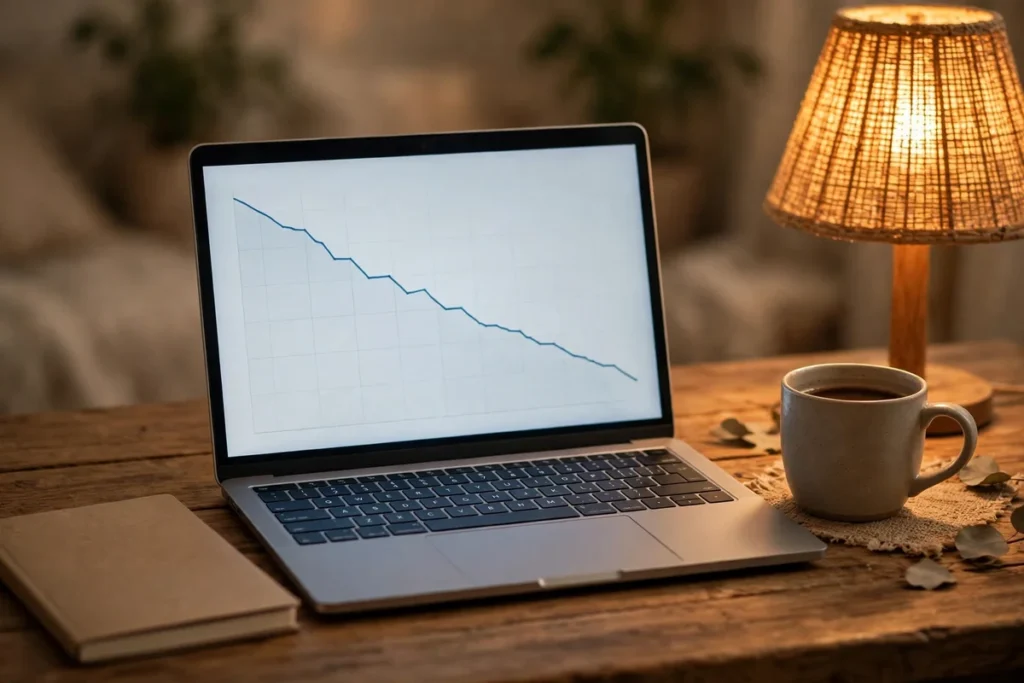
A laptop on a home desk shows a price-history line graph trending downward, notebook and coffee at hand. Set up the right tools in October and you will know each product's price history at a glance — spotting manufactured discounts instantly.
Watch: How to Track Black Friday Prices
Two free pricing tools expose the truth behind every Amazon 'sale' — the deep dive that changes how you shop.
At a Glance: How to Track Black Friday Prices
Every major tracking method, step by step — from automated tools to manual systems.
| Method | What it does | Best for |
|---|---|---|
| CamelCamelCamel | Tracks Amazon price history over time; set free price-drop alerts | Anything sold on Amazon — the deal-verification standard |
| Keepa | Price histories directly on Amazon product pages, with advanced deal filters | Power users who want data without leaving the product page |
| Honey | Historical price data across big-box retailers, plus automatic coupon codes | Walmart, Best Buy and other major chains |
| Browser extensions | One-click price history from the product page (e.g. CamelCamelCamel's extension) | Quick checks while browsing |
| Manual tracking | A spreadsheet of target items with prices noted weekly from October | Categories the tools don't cover well |
| The rule | Evaluate every deal against reality — what the item actually sold for — never against the retailer's reference price | |
Frequently Asked Questions
How do I track Black Friday prices before I buy?
Set up free price-history tools (CamelCamelCamel and Keepa for Amazon, Google Shopping for cross-retailer comparison, Honey for coupons and drop alerts) in October, record baseline prices for everything on your list, set alerts at your target prices, and maintain a simple spreadsheet comparing advertised November prices against your tracked history. When a price hits your target and the history confirms it is genuinely low, buy.
What is the best free price tracker for Black Friday?
There is no single best — the strongest setup combines tools. CamelCamelCamel or Keepa for Amazon price history, Google Shopping for comparing across retailers, and Honey for automatic coupon testing at checkout. Together they cover history, comparison, and checkout savings. All have free tiers sufficient for holiday shopping.
How far back should I check price history?
Ninety days is the practical standard — it captures the pre-season baseline and reveals October price bumps. A full year is even better for seasonal products, since it shows last year’s holiday pricing as a reference. For most Black Friday decisions, the 90-day chart plus the all-time low is sufficient.
Can price trackers predict Black Friday prices?
No — trackers show history, not the future. But history is highly informative: products with stable prices and sudden November drops are behaving like genuine deals, while products with October spikes are signaling manufactured discounts. Use history to authenticate deals, not to forecast them.
Do I need to track prices if I only buy doorbusters?
Yes, even more so. Doorbusters are where derivative models are most common — verifying the exact model number and its history is how you confirm you are getting the real product at a real discount rather than a stripped-down variant at a plausible-sounding price. Our doorbuster guide explains what to check.
How do I track prices across different countries?
Use the country-specific versions of Amazon with Keepa or CamelCamelCamel where available, Google Shopping in your market for cross-retailer comparison, and local price-comparison sites popular in your country. Always compare prices within the same market — cross-border price comparisons are misleading because of taxes, duties, and regional pricing.
Conclusion
Learning how to track black friday prices before you buy is the closest thing to a superpower in holiday shopping. It replaces guesswork with data, exposes manufactured discounts in seconds, and tells you exactly when to pull the trigger. The investment is one October afternoon: set up CamelCamelCamel and Keepa for Amazon, learn Google Shopping’s comparison view, load your list into Honey’s Droplist, build your spreadsheet, and record your baselines. Then let the alerts and the history do the work through November.
When Black Friday 2026 arrives on November 27, you will not be wondering whether the deals are real — you will know, item by item, from your own data. Pair your tracking system with our best Black Friday deals roundup and our Black Friday 2026 hub, and shop the event like someone who has seen the future — because, in a sense, you have: it is written in the price history.


