

If the best Black Friday printer deals 2026 are on your shopping list, you are looking at one of the trickiest categories in all of tech buying. Printers are cheap to buy and expensive to own: the hardware is often sold at razor-thin margins while the manufacturer makes its real money on ink and toner for years afterward. That business model shapes everything about Black Friday printer sales — the headline prices look irresistible, but the total cost of ownership is what actually matters. This guide explains the three printer technologies, how to calculate what a printer will really cost you, and how to pick the right tier for your household or home office.
Black Friday 2026 falls on Friday, November 27, with Cyber Monday on November 30, and printer deals follow the classic pattern: early offers from late October, peak selection in Thanksgiving week. Printers are a popular gift and home-office purchase, so retailers use them as traffic drivers — expect aggressive headline pricing on entry-level inkjets in particular. But the cheapest printer on the page is rarely the cheapest printer to own. Read this guide before the sales start, and you will shop with the one advantage most November buyers lack: an understanding of ink economics.
We never claim a specific printer model is on sale at a specific retailer — stock and pricing move too fast in November for that to be honest. Instead, this is a complete buying framework: technology comparisons, cost-per-page math, tier recommendations, worldwide shopping guidance, and price-verification tactics. For the season’s broader picture, see our best Black Friday deals hub and Black Friday 2026 shopping guide.
The three printer technologies: inkjet, laser and ink tank
Every printer you will see discounted this November uses one of three technologies. Choosing between them is the single most important decision, because it determines your running costs for years.
| Technology | How it works | Upfront cost | Cost per page | Best for |
|---|---|---|---|---|
| Cartridge inkjet | Sprays liquid ink from replaceable cartridges | Lowest | Highest | Occasional color printing and photos |
| Ink tank (supertank) | Refillable high-capacity ink reservoirs | Higher | Very low | Families and home offices printing regularly |
| Laser (toner) | Fuses dry toner powder to the page | Mid-range | Low for text | High-volume black-and-white documents |
Cartridge inkjets: cheap to buy, costly to feed
The classic home printer — and the one with the most dramatic Black Friday prices — is the cartridge inkjet. Hardware is inexpensive because the business model depends on cartridge sales. If you print a few pages a month, mostly in color, and occasionally want a decent photo print, a cartridge inkjet is perfectly rational: your total ink spend stays low because your volume is low. The trap is buying one for heavy use. At high page counts, cartridge costs quickly exceed the price of a better printer many times over. A useful rule of thumb: if you print more than about 50 pages a month, look past the cartridge models no matter how tempting the sale price.
Ink tank printers: the Black Friday sweet spot for families
Ink tank printers cost more upfront but include enough ink in the box for thousands of pages, and refill bottles cost a fraction of cartridges per page. For households with school-age children, home offices, or anyone printing regularly, the math is overwhelmingly favorable — the higher purchase price typically pays for itself within the first year or two of normal use. Black Friday is an excellent time to buy one because the premium over cartridge models shrinks during sales. The main trade-offs: a larger physical footprint, and ink that can dry in the print head if the printer sits unused for many months (print a page every week or two to prevent this).
Laser printers: the document workhorses
Laser printers use toner powder instead of liquid ink, which never dries out — a laser can sit idle for a year and print perfectly on demand. They are faster than inkjets for text, and their cost per black-and-white page is very low. A monochrome laser is the ideal choice for text-heavy home offices: contracts, schoolwork, forms, shipping labels. Color lasers exist but are bulkier and pricier; most households needing occasional color are better served by a separate photo-capable inkjet or a print shop. During Black Friday, monochrome lasers see solid discounts as retailers target the work-from-home crowd.
Cost per page: the math that matters more than the sale price
Here is the calculation almost nobody does before buying. Find the price of the printer’s standard replacement cartridges or toner, divide by the manufacturer’s stated page yield, and you get the cost per page. A cartridge inkjet might cost the equivalent of 10–20 cents per color page; an ink tank printer often lands under a cent per page; a monochrome laser sits at a few cents per black page. Now multiply by your realistic monthly volume over three years. That total — hardware plus consumables — is the printer’s true price, and it frequently reverses the apparent bargain: the “cheap” sale printer can be the most expensive option you could have chosen.
Two wrinkles to factor in. First, starter cartridges: the cartridges or toner included with a new printer are often partially filled, yielding fewer pages than full retail replacements. Second, subscription ink programs, where the manufacturer mails cartridges based on pages printed for a monthly fee. These can be economical for moderate, predictable volumes and usually include free cartridge recycling — but check the overage fees and what happens to the cartridges if you cancel, since some programs remotely disable them.
Budget, mid-range and premium: which tier should you buy?
Printer tiers map closely to the technologies above, but framing them as budgets helps you shop the sales with a number in mind.
Budget tier: the occasional printer
Basic cartridge inkjets dominate Black Friday’s lowest prices. Buy here if you print under 30 pages a month, need color and occasional photos, and want the smallest upfront spend. Accept the limitations: slower speeds, smaller paper trays, basic WiFi, and per-page costs that punish heavy use. This tier is also where all-in-one features (scan, copy) appear at the lowest prices — genuinely useful even for light users. Just go in with eyes open about cartridge costs, and consider a subscription ink plan to cap them.
Mid-range tier: the family and home-office workhorse
This is where ink tank printers and monochrome lasers live, and where the smartest Black Friday printer money is spent. An ink tank all-in-one handles a family’s mixed printing — homework, forms, photos, crafts — at minimal running cost. A monochrome laser all-in-one serves a text-heavy home office with speed and reliability. Both tiers include better features: automatic double-sided printing, larger trays, more robust WiFi, and better mobile apps. If you print regularly, stretching to this tier during a sale pays for itself in consumable savings.
Premium tier: the serious home office and creative
Premium ink tank models add faster print engines, larger touchscreens, better photo quality and heavier-duty build for high volumes. Wide-format photo printers serve photographers and designers who need gallery-quality prints up to A3 or larger. Color lasers at this tier suit small businesses with real document volume. Black Friday discounts here are proportionally smaller than on budget models, but the absolute savings are larger — and this is equipment you will use daily for years, so buying right matters more than buying cheap.
Features worth having: duplex, WiFi, scanning and mobile printing
Beyond the core technology, a handful of features separate satisfying printers from annoying ones. Automatic double-sided printing (duplex) saves paper and is worth prioritizing — manual duplexing is tedious. Dual-band WiFi with straightforward setup matters because printers live far from routers; check that the model supports your network and your phone’s OS for mobile printing (AirPrint for Apple devices, Mopria or manufacturer apps for Android). A document feeder on the scanner transforms multi-page scanning from a chore into a one-button job — essential for anyone digitizing paperwork. Borderless photo printing matters only if you print photos; ignore it otherwise. And check paper handling: a 250-sheet tray versus a 60-sheet tray is the difference between refilling weekly and refilling monthly.
Where to shop for printer deals worldwide
In the US, Amazon, Best Buy, Walmart, Target and office-supply specialists all run printer promotions — our Amazon Black Friday guide, Best Buy Black Friday guide, Walmart Black Friday guide and Target Black Friday guide detail each retailer’s sale rhythm. Office-supply stores deserve special attention for printers: they discount consumables alongside hardware, so watch for bundle offers pairing a printer with spare cartridges or toner. In the UK, Currys, Amazon UK and Argos lead, with office suppliers running parallel promotions. Across Europe, MediaMarkt, Saturn, Fnac and Amazon’s national stores compete; in Australia, Officeworks, JB Hi-Fi and Big W are the key battlegrounds. Wherever you buy, compare the bundle: a slightly higher hardware price that includes full-yield cartridges or a spare toner can beat a bare-bones headline deal.
Verifying the deal and avoiding the ink trap
Printer discounts are the most misleading in tech because the hardware price is only half the story. Use CamelCamelCamel and Keepa to check the printer’s price history on Amazon — entry-level models are frequently “discounted” from inflated list prices they never sold at. Then do the consumable check: look up the replacement cartridge or toner price and page yield, and compute your three-year total. A printer that looks like a steal can be the most expensive option once ink is counted, while a pricier ink tank model on a modest discount is often the true bargain. Honey and similar tools can surface coupon codes that stack with sale prices at office-supply retailers in particular.
Also verify what is in the box. Starter cartridges with reduced yields are standard, so a Black Friday bundle that includes full retail cartridges or an extra toner is worth more than it appears. And check the fine print on subscription ink trials: free months are nice, but know the monthly cost after the trial and whether cancellation disables unused cartridges.
Eight mistakes to avoid when buying a printer on Black Friday
- Judging by hardware price alone. Always compute the three-year total including ink or toner. The cheapest printer is often the most expensive to own.
- Buying a cartridge inkjet for heavy use. High volumes on cartridges are brutally expensive. Heavy users belong in ink tank or laser territory.
- Ignoring starter cartridge yields. In-box cartridges are often partially filled. Factor the first replacement set into your true first-year cost.
- Overlooking wireless and mobile support. A printer that will not talk to your phone becomes a source of daily friction. Confirm AirPrint/Mopria/manufacturer-app support for your devices.
- Skipping the duplex check. Automatic double-sided printing should be standard on anything above budget tier — verify it rather than assuming.
- Buying more printer than you need. A wide-format photo printer for someone who prints boarding passes is wasted money and desk space. Match the machine to your actual volume.
- Forgetting the space it occupies. Ink tank and laser printers are substantially larger than basic inkjets. Measure your desk or shelf before the box arrives.
- Not checking ink availability. Obscure or discontinued models can have scarce, overpriced cartridges. Stick to current product lines from established manufacturers.
Setting up for success: first-week tips
When the new printer arrives, resist the urge to just plug it in. Update the firmware first — manufacturers regularly fix WiFi and security issues. Connect via your router’s 2.4 GHz band if setup struggles (many printers prefer it), then let the printer use whichever band works best. Install the full manufacturer software rather than relying on basic OS drivers; you get ink-level monitoring, maintenance tools and scan software. Print a test page weekly on inkjets and ink tanks to keep heads clear. And register the product for warranty — extended warranty offers at checkout are rarely worth it for printers, but the standard manufacturer’s warranty is valuable and sometimes requires registration.
Refurbished printers: a word of caution
Refurbished and open-box printers appear at tempting prices during sale season, but printers are one category where used carries real risk. Print heads wear, paper feed rollers degrade, and you cannot easily verify how many pages a used machine has printed. Manufacturer-refurbished units with a fresh warranty are the only used printers worth considering — and even then, compare against new sale prices first, since Black Friday often brings new budget models down near refurbished pricing. For most buyers, a new printer with a full warranty and fresh starter supplies is the safer November purchase.
Photo printing at home: what the sale ads do not tell you
Many Black Friday printer ads lean hard on photo printing — glossy borderless prints straight from your phone. It is a lovely idea, and modern photo-capable inkjets genuinely produce beautiful prints, but go in with realistic expectations. Home photo printing costs more per print than a photo lab or drugstore kiosk once you count premium photo paper and ink coverage; it makes sense for the joy and immediacy of printing at home, not as a money-saving strategy. If photos are your priority, look for printers with dedicated photo black or grey inks and six-or-more ink colors, which produce smoother gradations and better black-and-white prints than standard four-color machines.
Paper matters as much as the printer. Manufacturer-branded photo paper is tuned to the printer’s ink chemistry and gives the most reliable color, while cheap third-party paper can produce dull or off-color results that no settings menu will fix. Buy a small pack of the manufacturer’s recommended paper first and test before committing to bulk. Also be honest about volume: if you print photos a few times a year, a standard all-in-one plus an occasional online print order beats a dedicated photo printer gathering dust. The dedicated photo machines earn their keep for photographers, crafters and grandparents who print constantly — everyone else should treat photo capability as a bonus, not the buying criterion.
One more practical note for photo enthusiasts: color management. Out-of-the-box prints often look slightly different from your screen because monitors and printers speak different color languages. Using the printer manufacturer’s ICC profiles (usually installed with the full driver package) and printing from software that respects them closes most of the gap. It is a fifteen-minute setup that transforms results, and it is free.
Frequently asked questions about Black Friday printer deals
When do Black Friday printer deals start in 2026?
Printer promotions typically begin in late October and run through Black Friday week — Black Friday is November 27, 2026, with Cyber Monday on November 30. Entry-level inkjets see the most dramatic headline prices, while ink tank and laser discounts build more gradually. Because printers are popular gifts, the most popular models can sell out before Cyber Monday.
What type of printer is cheapest to run?
Ink tank printers have the lowest cost per page for mixed color and black printing, making them cheapest for families and regular users. For black-and-white text only, monochrome lasers are extremely economical and their toner never dries out. Cartridge inkjets are cheapest to buy but most expensive per page — fine for very light use, punishing for heavy use.
Are printer ink subscription plans worth it?
They can be, for moderate and predictable print volumes. Subscriptions smooth out the painful lump cost of cartridges and often include recycling. But compare the monthly fee against your actual usage — very light printers may pay more per page on a subscription than buying cartridges occasionally, and check cancellation terms, since some programs disable cartridges when you cancel.
Should I buy an all-in-one or a print-only model?
All-in-one (print/scan/copy) for almost everyone. The price premium over print-only is small during sales, and scanning — for digitizing documents, IDs and schoolwork — proves useful far more often than buyers expect. A document feeder on the scanner is the feature that makes scanning genuinely painless.
Do printers work with Chromebooks, tablets and phones?
Most modern printers support mobile and cloud printing, but verify before buying. Check for AirPrint (Apple), Mopria or the manufacturer’s app (Android), and Chromebook compatibility if that is your platform — our Black Friday Chromebook guide pairs well with this one for student setups. WiFi Direct lets you print without a network as a fallback.
Is it better to buy a printer on Black Friday or wait for January sales?
Black Friday is generally the stronger window for printers, especially bundled offers with extra ink or toner. January sales clear remaining stock but with thinner selection. If you need a printer for the holidays or the new school term, buy in November; waiting rarely improves the price on the models people actually want.
Conclusion: buy the printer your printing habits deserve
The best Black Friday printer deals 2026 are not the lowest sticker prices — they are the machines with the lowest total cost for your actual printing volume. Light, occasional printing? A discounted cartridge inkjet is fine. Regular family or home-office use? An ink tank printer on sale will save you far more in ink than any headline discount. Text-heavy document work? A monochrome laser is the reliable workhorse. Do the cost-per-page math, verify the discount against price history, and you will own a printer you like instead of a bargain you resent.
Round out your home-office upgrade with our Black Friday laptop deals guide and Black Friday WiFi router guide — a fast laptop and solid network make any printer better — and keep our best Black Friday deals hub bookmarked for the season’s standout offers across every category.
In Pictures: Black Friday Printer Deals 2026
The printer's sale price is the least important number on the box — ink costs decide the real price over time. Here's the unglamorous workhorse, up close.

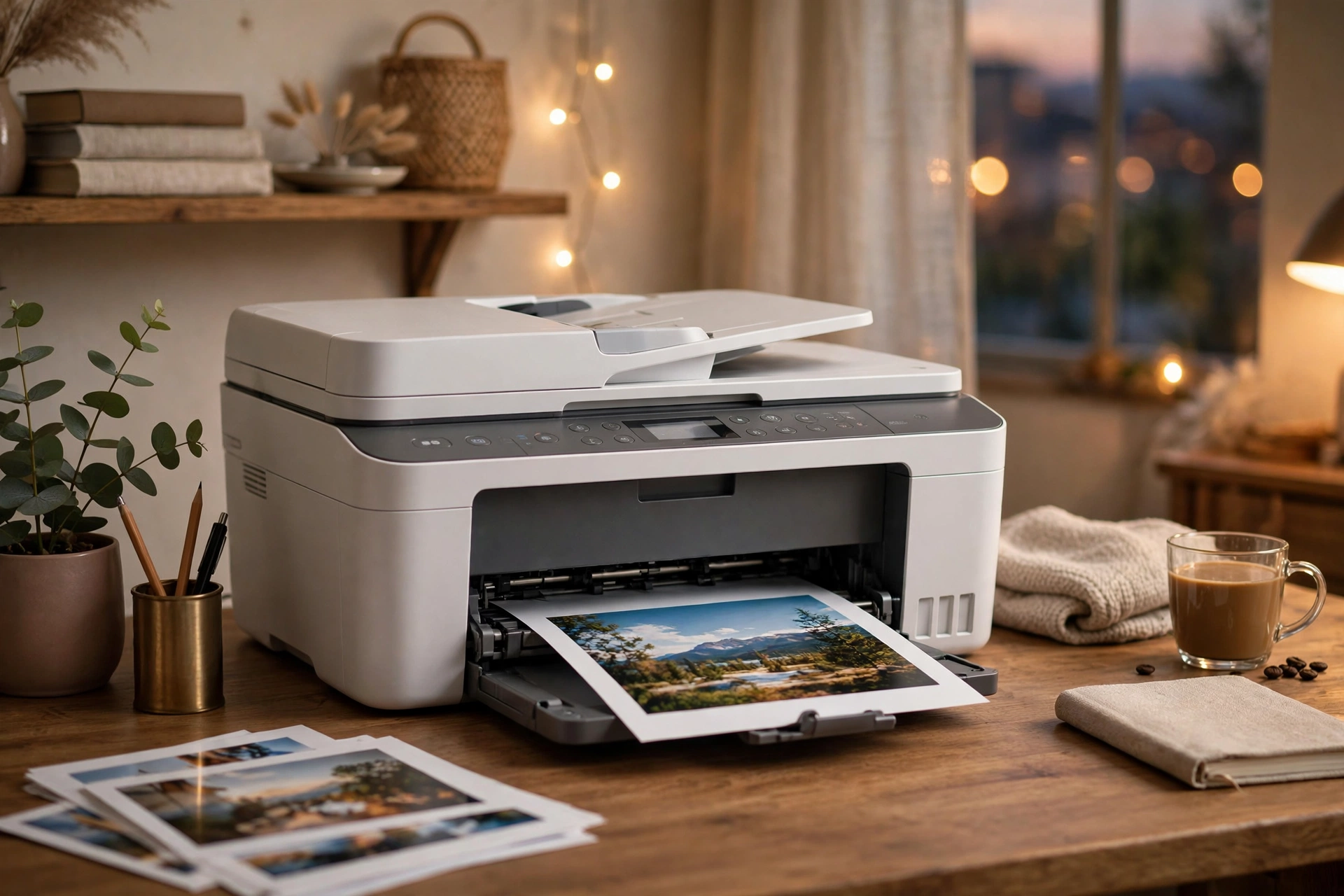
A modern all-in-one printer in a bright home office, fresh colour documents in the output tray. Cost per page beats the sticker price every time — a cheap printer with expensive cartridges is the oldest trap in the store.
Watch: Black Friday Printer Deals 2026
Ten home printers ranked by a tester with 11 years and 5,000 printers of experience — from budget Canon inkjets to Brother lasers and the HP LaserJet Pro MFP 3101fdw — on speed, ink efficiency, wireless setup and real value.
At a Glance: Black Friday Printer Deals 2026
The three technologies, the cost-per-page math, and the ink trap.
| Technology | Best for | Cost reality |
|---|---|---|
| Cartridge inkjet | Occasional colour printing, photos | Cheapest upfront, priciest per page — cartridges dry out if you print rarely |
| Ink tank (EcoTank/MegaTank) | Families, students, frequent colour printing | Higher upfront cost, dramatically lower per-page cost — the Black Friday sweet spot for most homes |
| Laser (mono) | Documents, home office, high volume black-and-white | Toner doesn't dry out; cheapest per page for text — but colour lasers cost more upfront |
| Cost per page | Estimate your yearly pages × per-page cost before comparing sale prices — a $50 price gap vanishes against years of ink | |
| Duplex printing | Automatic two-sided printing | Halves paper use and looks professional — worth prioritising over minor speed differences |
| The ink trap | Subscription ink plans lock you to one brand's cartridges — convenient, but compare the per-page cost against tank printers before committing | |
| Electronics peak discount (Adobe, 2025 season) | 30.9% measured peak — printers often see 25–40% off, but the real saving is choosing the right technology, not the biggest percentage | |


